The game loads when you press Play · press “Play Now” inside the game if it asks.
Ishidou (Japan) (Disk Writer)
Ishidou
Ishidou: FDS Strategy
- Famicom Disk System
- Strategy
- 5· 0 votes
Ishidou is a Famicom Disk System title that saw release exclusively in Japan through the Disk Writer kiosk service. This distribution method allowed players to write the game onto blank disks at select retail locations, making it a somewhat ephemeral entry in the FDS library. Very little information about its development or publisher has survived in English-language sources, adding to the mystique.
What can be gathered suggests Ishidou belongs to the strategy or role-playing game family, a common genre on the platform. The Japanese title translates to 'Stone Path,' which may hint at the setting or core theme, but concrete details about the mechanics or story remain scarce. Without playing through extensively, it's difficult to describe the exact loop, but fans of the era will recognize the general structure of turn-based decision-making and resource management.
For retro collectors, Ishidou represents the unique challenges of the Disk Writer era - it's a game you won't easily find boxed or documented. Its obscurity is part of the appeal, and exploring it today gives a glimpse into the less-traveled corners of Nintendo's first disk-based system. If you're willing to work through the language barrier and rely on trial and error, this obscure FDS title offers a genuine curiosity worth experiencing.
GAME INFO
- Platform
- Famicom Disk System
- Genre
- Strategy
- Players
- 1
- Region
- Japan
How to play Ishidou online
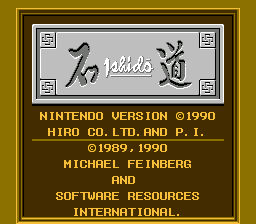
Getting started with Ishidou requires patience because the game is entirely in Japanese, with no translation patch available. When the emulator loads, you'll see a title screen followed by a menu. Press Start (Enter) to advance, and use Select (V) to toggle through options. The first task is usually to start a new game or load a previous one - look for characters or symbols that stand out.
Once inside, the interface relies on text commands and grid-based navigation. Use the D-Pad to move your cursor or character, and confirm choices with the A button (X). The B button (S) often cancels or opens submenus. Since the exact mechanics aren't documented, try pressing every button to see what happens. Common actions include moving a unit or selecting an action from a menu.
Save states are your best tool. The original FDS save system was unreliable, so use the emulator's save function frequently. Pay close attention to recurring symbols or patterns - they may indicate health, turns, or resources. If you get stuck, reload a state and try different choices. The game's learning curve is steep, but experimentation is part of the fun.
CONTROLS
Controls
- Arrow Keys: D-Pad / Movement
- X: A button (jump / confirm)
- S: B button (run / attack / cancel)
- Enter: Start / Pause
- V: Select
Ishidou FAQ
Who developed Ishidou?
The developer of Ishidou is not widely documented in English sources. It may have been created by a small Japanese studio, but no definitive attribution has been preserved.
Is there anything iconic or memorable about Ishidou?
Its distribution via the Famicom Disk Writer kiosk system is the most notable aspect. The game's obscurity and the challenge of finding solid information about it make it a curiosity for dedicated FDS collectors.
Is Ishidou exclusive to Famicom Disk System or did it appear on other systems?
Ishidou appears to be exclusive to the Famicom Disk System. There are no known ports or re-releases on other platforms.
You may also like
All Famicom Disk System games Aki to Tsukasa no Fushigi no Kabe
 Yume Koujou - Doki Doki Panic
 Bishoujo Hanafuda Club Vol.2 - Koikoi Bakappana Hen
 Bishoujo Shashinkan - Studio Cut
 Bishoujo Sexy Slot
 Bishoujo Hanafuda Club Vol.1 - Oichokabu Hen
 Transformers - The Headmasters
 Bakutoushi Patton-kun
 Aliens - Alien 2
 Tenshitachi no Houkago
 Backgammon
 Chitei Tairiku Ordola
GAME INFO
- Platform
- Famicom Disk System
- Genre
- Strategy
- Players
- 1
- Region
- Japan
COMMENTS (0)
No comments yet. Be the first to share your thoughts.