The game loads when you press Play · press “Play Now” inside the game if it asks.
FMC Disk Card Checker Ver 1.3 (Japan) (Rev 2) (Developer Card)
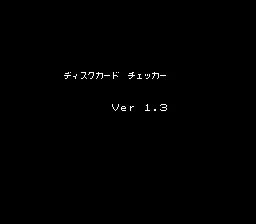
FMC Disk Card Checker Ver 1.3
FMC Disk Card Checker Ver 1.3 on FDS
- Famicom Disk System
- Educational
- 5· 0 votes
GAME INFO
- Platform
- Famicom Disk System
- Genre
- Educational
- Players
- 1
- Region
- Japan
- Version
- Ver 1.3
How to play FMC Disk Card Checker Ver 1.3 online
This tool is a disk diagnostic utility, not a game. When you boot the ROM, you will see a menu in Japanese. Use the D-Pad to navigate between options, and press the A button (X key) to select. The core function is to test a Famicom Disk System disk card for errors. Insert a disk image (if emulation supports it) or run the built-in checks without a disk to see the interface. The tool likely displays results on screen, such as pass/fail or specific error codes. Since the menus are entirely in Japanese, you may need to rely on trial and error or a guide to interpret the options. Pressing B (S key) may cancel or go back. Start button (Enter) might confirm or begin a test. Select (V) could toggle modes. Overall, the experience is minimal and technical.
CONTROLS
Controls
- Arrow Keys: D-Pad / Movement
- X: A button (jump / confirm)
- S: B button (run / attack / cancel)
- Enter: Start / Pause
- V: Select
FMC Disk Card Checker Ver 1.3 FAQ
Does FMC Disk Card Checker Ver 1.3 have a multiplayer or co-op mode?
No multiplayer or co-op mode exists. This is a single-user diagnostic tool designed for one person to test disk cards, not a game with multiple players.
Is FMC Disk Card Checker Ver 1.3 exclusive to Famicom Disk System or did it appear on other systems?
It appears to be exclusive to the Famicom Disk System as a developer card release. No ports or versions for other systems are documented.
What makes FMC Disk Card Checker Ver 1.3 stand out among Famicom Disk System titles of its era?
Unlike typical games, this is a hardware verification utility used by developers and repair technicians. Its value lies in its role as a diagnostic tool rather than an entertainment product, making it a niche collectible for FDS archivists.
You may also like
All Famicom Disk System games Aki to Tsukasa no Fushigi no Kabe
 Yume Koujou - Doki Doki Panic
 Bishoujo Hanafuda Club Vol.2 - Koikoi Bakappana Hen
 Bishoujo Shashinkan - Studio Cut
 Bishoujo Sexy Slot
 Bishoujo Hanafuda Club Vol.1 - Oichokabu Hen
 Transformers - The Headmasters
 Bakutoushi Patton-kun
 Aliens - Alien 2
 Tenshitachi no Houkago
 Backgammon
 Chitei Tairiku Ordola
GAME INFO
- Platform
- Famicom Disk System
- Genre
- Educational
- Players
- 1
- Region
- Japan
- Version
- Ver 1.3
COMMENTS (0)
No comments yet. Be the first to share your thoughts.