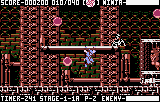
The game loads when you press Play · press “Play Now” inside the game if it asks.
Ninja Gaiden III - The Ancient Ship of Doom (USA, Europe)
Ninja Gaiden III - The Ancient Ship of Doom
Inside Ninja Gaiden III - The Ancient Ship of Doom
- ATARI Lynx
- Platformer
- 5· 0 votes
GAME INFO
- Platform
- ATARI Lynx
- Genre
- Platformer
- Publisher
- Atari
- Developer
- Atari
- Released
- 1993
- Players
- 1
- Region
- USA, Europe
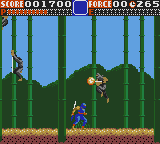
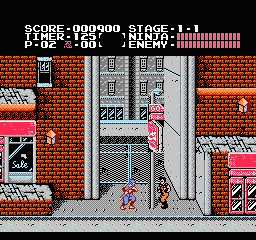
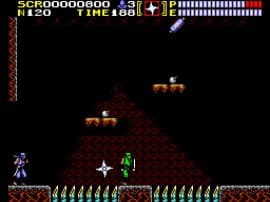
More Ninja Gaiden Games
Ready for another round? Explore more Ninja Gaiden games and console editions. Choose a game below to play it on its own page.
How to play Ninja Gaiden III - The Ancient Ship of Doom online
Getting started: Boot up the game and press Start to access the title screen. Choose New Game to begin. You control Ryu Hayabusa as he runs from left to right through side-scrolling levels. The core loop is simple: move forward, defeat enemies with your sword or ninja tools, avoid traps and pits, and reach the end of each stage to face a boss. Collect health pickups and power-ups like the fire wheel or spinning slash to help you survive.
Wall climbing is a key mechanic - press the jump button while touching a wall to grab and climb. You can also slide down walls by pressing down. Watch for enemy patterns, especially those that appear from above or below. The game is challenging, and continues are limited, so learning stage layouts and enemy spawns is crucial. If you get stuck, practice the first few levels to master the controls. The Lynx version lacks the NES's cutscenes, but the action is identical in structure.
CONTROLS
Controls
- Arrow Keys: D-Pad / Movement
- X: A button
- S: B button
- Q: Option 1
- E: Option 2
- Enter: Pause
Ninja Gaiden III - The Ancient Ship of Doom FAQ
Roughly how long does it take to finish Ninja Gaiden III - The Ancient Ship of Doom?
Most players can beat the game in about 45 minutes to an hour on a single playthrough. That estimate assumes you know the level layouts and boss patterns. New players may take longer due to the steep difficulty and limited continues.
Is Ninja Gaiden III - The Ancient Ship of Doom exclusive to ATARI Lynx or did it appear on other systems?
It originally debuted on the Nintendo Entertainment System in 1991. The Atari Lynx version is a port released two years later. No other home console or handheld received this exact title besides those two platforms.
Who developed Ninja Gaiden III - The Ancient Ship of Doom?
The original NES version was developed by Tecmo, but the Lynx port was handled in-house by Atari Corporation. Atari adapted the code and graphics to fit the Lynx hardware while keeping the core gameplay intact.
You may also like
All ATARI Lynx games


GAME INFO
- Platform
- ATARI Lynx
- Genre
- Platformer
- Publisher
- Atari
- Developer
- Atari
- Released
- 1993
- Players
- 1
- Region
- USA, Europe
COMMENTS (0)
No comments yet. Be the first to share your thoughts.