![Arkanoid (Tayto bootleg) [Bootleg]](/uploads/games/gc-a0d7f7dffa2a.webp)
Arkanoid (Tayto bootleg) [Bootleg]
Arkanoid (Tayto bootleg) [Bootleg] - Arcade Classic
This is an arcade bootleg of Arkanoid, the classic block breaker originally developed by Taito in 1986. The Tayto bootleg version appeared as an unlicensed copy likely distributed in certain regions, using modified hardware or ROMs. Despite being a bootleg, it retains the same core concept as the original Taito release.
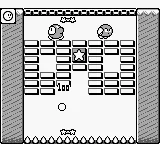
Players control a paddle at the bottom of the screen, bouncing a ball to destroy rows of colored blocks above. The goal is to clear all blocks without letting the ball fall off the bottom. Power-up capsules appear that can expand the paddle, grant multiple balls, or add lasers. The bootleg may alter block layouts, music, or difficulty compared to the official release.
For retro enthusiasts, this bootleg offers an interesting variation of a beloved classic. While not an official release, it captures the same addictive gameplay that made Arkanoid a hit in arcades. If you enjoyed other Breakout-likes from the 80s, this version provides a slightly different feel worth exploring, though be aware of potential differences in balance and polish.
How to Play Arkanoid (Tayto bootleg) [Bootleg] Online
Once the game loads, press Enter to insert a coin and again to start. Use the left and right Arrow Keys to move the paddle. The ball will launch automatically after a short delay. Your objective is to break every brick on the screen by bouncing the ball off your paddle. If the ball falls below the paddle, you lose a life. Keep an eye out for falling power-up capsules - catching them modifies the ball or paddle (e.g., 'S' slows the ball, 'L' gives a laser shot). Each cleared stage advances you to a new layout. The bootleg version may have altered brick patterns or speed. There is no continue option, so mastering the paddle control is essential.
Arkanoid (Tayto bootleg) [Bootleg] Keyboard Controls
Controls
- Arrow Keys: Joystick / Movement
- X: Button 1
- S: Button 2
- Z: Button 3
- A: Button 4
- Q: Button 5
- E: Button 6
- Enter: Start / 1P
- V: Coin / Insert

Comments (0)