Arkanoid Returns (Ver 2.02J 1997/02/10)
What is Arkanoid Returns (Ver 2.02J 1997/02/10)?
Arkanoid Returns is an arcade game that hit Taito's cabinets in February 1997. It's the fourth entry in the block-breaking Arkanoid series and the third to grace arcades. Taito, the original developer, brought back the classic paddle-and-ball action with updated visuals and sound.
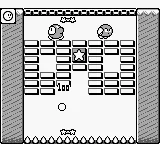
You control a paddle at the bottom of the screen, bouncing a ball to destroy rows of colored bricks. Power-ups drop from broken bricks, giving you extra balls, larger paddles, or lasers. Each stage has a unique layout and sometimes moving obstacles or enemies that complicate your aim. The goal is to clear each stage without losing all your lives.
Arkanoid Returns is a solid, if straightforward, continuation of a timeless formula. It doesn't reinvent the wheel but polishes the experience with smoother graphics and responsive controls. For fans of the genre, it's a worthy entry that captures the addictive rhythm of Arkanoid. Compared to earlier arcade versions, this one feels a bit more modern while retaining the core challenge.
How to Play Arkanoid Returns (Ver 2.02J 1997/02/10) Online
When you boot up Arkanoid Returns, you'll see a title screen, likely in Japanese as this is the Japanese version. Press Start to move into stage select or directly into gameplay. The core loop is simple: you control a paddle left and right using the arrow keys, and the ball bounces off bricks, walls, and your paddle. Your main objective is to clear all bricks on the screen.
Pay attention to power-ups that fall from demolished bricks; they can make or break your run. Collecting an 'E' gives you an extra ball, 'P' expands your paddle, and 'L' fires lasers from your paddle. The game can get hectic as you progress, with multiple balls and fast movement. Losing all your lives returns you to the first stage, so practice makes perfect.
Arkanoid Returns (Ver 2.02J 1997/02/10) Keyboard Controls
Controls
- Arrow Keys: Joystick / Movement
- X: Button 1
- S: Button 2
- Z: Button 3
- A: Button 4
- Q: Button 5
- E: Button 6
- Enter: Start / 1P
- V: Coin / Insert

Comments (0)