Wardner no Mori Special (Japan)
What is Wardner no Mori Special (Japan)?
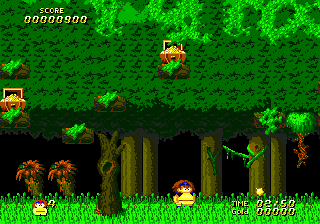
This is a SEGA Genesis port of the arcade game Wardner no Mori, released exclusively in Japan. The original arcade version was created by Toaplan in 1987, but details on who handled the Genesis port are not widely documented. It's a side-scrolling action game that retains the quirky fantasy style of its arcade parent.
You control a character who throws a boomerang-like weapon at a steady stream of enemies and obstacles. Each stage scrolls horizontally as you move right, with the occasional vertical section. Your weapon returns after being thrown, so timing and positioning matter. There are power-ups to collect and bosses to defeat at the end of each area.
This Japanese-only release is a competent port that captures the arcade feel, though it never made it overseas. It's a decent play for fans of late-80s arcade action games, but it's not a standout in the Genesis library. If you enjoy games like Ghouls 'n Ghosts or Wonder Boy but want something a little more obscure, this is worth a run.
How to Play Wardner no Mori Special (Japan) Online
Wardner no Mori Special is a side-scrolling action game. When you start the emulator, you'll see the Japanese title screen. Press Start (Enter) to begin. The game is entirely in Japanese, but the menus are straightforward - just press Start to move through the intro and begin play.
The core gameplay is simple: move left to right, attack enemies with your boomerang-like weapon, and avoid getting hit. You can jump over hazards and attack while jumping. Collect items like power-ups and extra lives that appear after defeating certain enemies.
A key mechanic is that your thrown weapon returns to you, so you must be aware of its trajectory. If you get hit, you lose your current weapon strength, so try to keep powered up. The game has a limited number of continues, so play carefully.
Wardner no Mori Special (Japan) Keyboard Controls
Controls
- Arrow Keys: D-Pad / Movement
- X: A button
- S: B button
- Z: C button
- A: X button (6-button pad)
- Q: Y button (6-button pad)
- E: Z button (6-button pad)
- Enter: Start / Mode






Comments (0)