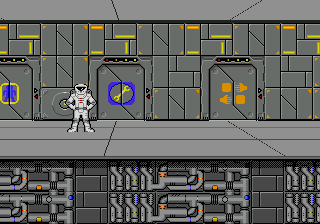
Starflight (USA, Europe) (v1.1)
Starflight (USA, Europe) (v1.1) Overview
Starflight on the SEGA Genesis is a port of the classic 1980s space exploration title, originally released for personal computers. The Genesis version arrived in the early 1990s, published by Electronic Arts, and brought the game's ambitious scope to a console audience. It's an open-ended space adventure that leans heavily on exploration and discovery, a rare genre on the 16-bit system.
In Starflight, you take control of a starship and navigate a vast, procedurally generated galaxy. The game offers 270 star systems and over 800 planets to visit. Your goals can vary from seeking knowledge through diplomacy and scanning to engaging in combat with alien vessels. You can land on planets, mine for resources, upgrade your ship, and interact with different species. The core loop involves planning routes, managing fuel and crew, and responding to encounters.
What makes Starflight worth playing today is its sheer scale and ambition. In an era when most Genesis titles were shorter action games, Starflight offered a persistent universe to lose yourself in. It's a precursor to modern space sims like No Man's Sky. However, be prepared for a steep learning curve and minimal handholding. If you enjoy retro games that reward patience and curiosity, this is a hidden gem worth exploring.
How to Play Starflight (USA, Europe) (v1.1) Online
Getting Started
When you start Starflight, you are presented with a ship and a crew. The first task is to choose your ship and assign roles to your crew members. Then you access the star map to plot your course. The galaxy is divided into sectors; you can select a star system and travel there. Fuel consumption is a key resource, so plan your jumps carefully.
Once you arrive at a system, you can scan planets for information. If you find a planet that seems interesting, you can land on it. On the surface, you can use your rover to explore, collect minerals, and sometimes encounter alien artifacts or hostile life. Combat in space is real-time and involves managing shields and weapons. The game saves your progress automatically when you land on a planet or dock at a starbase.
A new player should take time to read the manual if possible, as the game doesn't explain everything. The goal is open-ended: you can pursue trade, combat, or the main story involving a mysterious threat. Keep an eye on your energy levels and hull integrity. Experiment with different strategies and don't be afraid to reload a save if things go wrong.
Starflight (USA, Europe) (v1.1) Keyboard Controls
Controls
- Arrow Keys: D-Pad / Movement
- X: A button
- S: B button
- Z: C button
- A: X button (6-button pad)
- Q: Y button (6-button pad)
- E: Z button (6-button pad)
- Enter: Start / Mode
Comments (0)