Sonic 1 Remastered v1.1
Inside Sonic 1 Remastered v1.1
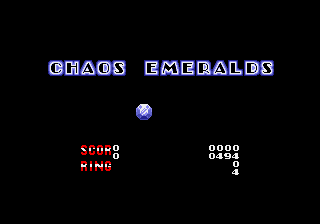
Players control Sonic as he speeds through loop-de-loops, jumps on Badniks, and collects gold rings across six zones. The core loop remains the same: reach the end of each act while avoiding spikes, pits, and enemies, with the option to collect the Chaos Emeralds in special stages. The remastered version tweaks level palettes, adds new background art, and enhances the soundtrack for a more vibrant experience without altering the original level layouts.
What makes this hack worth trying today is its respectful preservation of Sonic 1's beloved challenge while modernizing the presentation. It is a niche offering for retro enthusiasts who have already beaten the original dozens of times and want a subtle facelift. Compared to other Sonic hacks, this one stays true to the source material rather than introducing drastic changes, making it a safe download for purists.
How to Play Sonic 1 Remastered v1.1 Online
When you first load the game, the title screen appears with the classic Sonic logo. Press Enter to start. You will be at the stage select menu - choose a zone and act to begin. If you want the intended experience, start with Green Hill Zone Act 1. The goal is simple: run from left to right, collect rings for protection, and reach the giant ring at the end of each act to clear it.
Your main goal is to finish each act before the ten-minute timer runs out. Rings act as a buffer - if you get hit while carrying at least one ring, you lose all your rings but survive. If hit with zero rings, you lose a life. Touching spikes or drowning ends your life immediately. Bumping into a Badnik while rolling (press S to roll while moving) destroys it. The special stage is accessed by collecting 50 rings and then jumping into the large ring at the end of an act. There you collect Chaos Emeralds by navigating a 3D tunnel while avoiding obstacles.
Sonic 1 Remastered v1.1 Keyboard Controls
Controls
- Arrow Keys: D-Pad / Movement
- X: A button
- S: B button
- Z: C button
- A: X button (6-button pad)
- Q: Y button (6-button pad)
- E: Z button (6-button pad)
- Enter: Start / Mode





Comments (0)