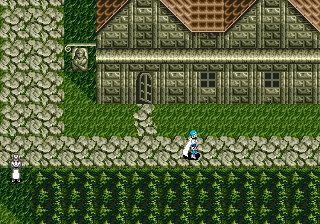
Phantasy Star III - Generations of Doom (Brazil)
About Phantasy Star III - Generations of Doom (Brazil)
Phantasy Star III: Generations of Doom is the third RPG in the classic Phantasy Star series, originally released for the SEGA Genesis in 1990 in Japan and 1991 in North America and Europe. This particular version is the Brazilian release, likely a Portuguese-localized edition distributed by Tec Toy or Sega's Brazilian branch. Developed and published by Sega, it follows an epic storyline spanning three generations of a royal family, though its slower pacing and unique setting have made it the so-called "black sheep" of the series.
How to Play Phantasy Star III - Generations of Doom (Brazil) Online
Getting started: When you boot up Phantasy Star III, you begin by selecting "New Game" from the main menu (use Start to confirm). The game opens with a short intro scene before placing you in the role of Rhys, a prince of Landen. Your first task is to talk to characters, gather information, and head to the nearby town to equip your party with basic weapons and armor. The core loop involves exploring towns, navigating dungeon mazes in a first-person view, engaging in turn-based battles with random encounters, and advancing a multi-generational plot where your choices affect which heir you marry and which branch of the story you follow.
Pay attention to the three-generation structure: your initial choices determine the protagonist for the next generation, and the game then continues with that character. Combat is straightforward - select Fight, Magic, or Item from a menu - but managing your party's HP and TP (technique points) is essential. If your version is in Portuguese, menus will be localized; otherwise, the game uses English text. Save often at inns or using the save crystal in towns. The game is linear overall, but exploring every area yields useful items and spells. Don't expect fast-paced action; this is a methodical, story-driven RPG that rewards patience.
Phantasy Star III - Generations of Doom (Brazil) Keyboard Controls
Controls
- Arrow Keys: D-Pad / Movement
- X: A button
- S: B button
- Z: C button
- A: X button (6-button pad)
- Q: Y button (6-button pad)
- E: Z button (6-button pad)
- Enter: Start / Mode
Comments (0)