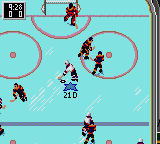
The game loads when you press Play · press “Play Now” inside the game if it asks.
NHL All-Star Hockey (USA, Europe)
NHL All-Star Hockey
NHL All-Star Hockey - Sports Classic
GAME INFO
More NHL All-Star Hockey Games
Ready for another round? Explore more NHL All-Star Hockey games and console editions. Choose a game below to play it on its own page.
How to play NHL All-Star Hockey online
Getting Started
Start by pressing Enter to move through the title screen and select a mode. You can choose between Exhibition (a single game) or Playoffs (a short tournament against CPU or a second player). Use the D-Pad to highlight your selection and press X (A button) to confirm.
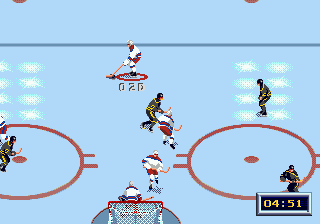
Once a match begins, you control the player nearest the puck. The D-Pad moves your skater, S (B button) performs a pass or a slap shot depending on context, and X (A button) switches to the nearest teammate or lifts the puck for a dump-in. The Q and E buttons (L and R shoulders) are used for speed burst or to initiate a body check.
Matches last two periods of three minutes each. The core loop is to win faceoffs, advance the puck up the ice, and shoot on goal using X when close enough. Defensively, you can switch players and check opponents to regain possession. The game uses simplified rules, so offsides and icing are absent, making it easier to pick up and play than console hockey games of the same era.
CONTROLS
Controls
- Arrow Keys: D-Pad / Movement
- X: Button 1
- S: Button 2
- Enter: Start / Pause
NHL All-Star Hockey FAQ
What makes NHL All-Star Hockey stand out among Game Gear titles of its era?
Being a licensed NHL game on a handheld in 1995 was itself notable. It featured real team names and player numbers, which was uncommon for portable sports games. The action is fast and simplified, making it a solid on-the-go hockey fix.
Is NHL All-Star Hockey exclusive to Game Gear or did it appear on other systems?
It also released on the Sega Genesis and Sega 32X under the same name, but those versions have more detailed graphics and deeper gameplay. The Game Gear iteration is a distinct port tailored for the small screen and limited controls.
Roughly how long does it take to finish NHL All-Star Hockey?
There is no story mode to complete. An exhibition game lasts about 5 to 10 real-time minutes. Players can replay indefinitely, and a playoff run might take roughly 20 minutes to finish a short tournament.


COMMENTS (0)
No comments yet. Be the first to share your thoughts.