The game loads when you press Play · press “Play Now” inside the game if it asks.
Kuni-chan no Game Tengoku (Japan)
Kuni-chan no Game Tengoku
Kuni-chan no Game Tengoku on GG
Kuni-chan no Game Tengoku is a Japan-exclusive compilation title for the Sega Game Gear, originally released in 1991. Published and developed by Sega, this cartridge packs a handful of quick mini-games under one banner, starring the company's cute boy mascot Kuni-chan. If you've played any of Sega's early portable collections, you have a rough idea of what to expect: pick-up-and-play diversions meant to show off the hardware's color screen and sound chip. This is not a single narrative-driven game but rather a variety pack, aimed at casual play on the go.
When you boot up the cartridge, you're presented with a menu of mini-games, each with its own simple objective. The exact lineup is not documented in detail here, but typical games of this era include target shooting, timing challenges, and obstacle dodging. You use the D-Pad and action buttons to control Kuni-chan or an on-screen cursor, depending on the mini-game. The core loop is selecting a game from the list, playing for a short session, then returning to the menu to try another. There's no persistent story or progression tying everything together; it's strictly a grab bag of arcade-like amusements.
Kuni-chan no Game Tengoku sits in a curious corner of the Game Gear library as a regional oddity that never left Japan. For collectors and emulation enthusiasts, it offers a glimpse into Sega's attempt to build a mascot-driven brand on the handheld. The mini-games are simple and the graphics are colorful but unambitious. It's not a must-play classic, but it's an honest time capsule of early '90s Japanese portable gaming. If you enjoy exploring obscure licensed collections, this title is worth a short session just to see how Sega packaged their mascot for the small screen.
GAME INFO
How to play Kuni-chan no Game Tengoku online
Getting Started
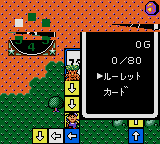
When the game loads you'll see a Japanese title screen. Press Start to proceed to the main menu, which lists the available mini-games by name (all in Japanese). Use the D-Pad to highlight a game and press X (A button) to select it. Each mini-game has its own brief instruction screen, also in Japanese; the illustrations usually give away what you need to do. If you're unsure, experiment with the controls - the gameplay is intuitive and forgiving.
Most mini-games involve moving a character or cursor with the D-Pad and pressing X or S to interact. Objectives might include catching falling items, avoiding obstacles, or hitting targets in a time limit. After completing or failing a game, you are returned to the menu. There is no save feature - this is a pick-up-and-play collection meant for short sessions. If you exit the emulator, your progress resets.
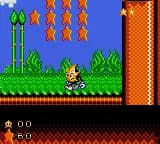
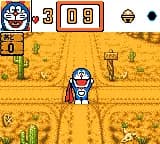
Because the menus are entirely in Japanese, a screenshot reference or guide can help identify each game's goal. Focus on the visual cues: the HUD usually shows a timer, score, or lives. If a game has a tutorial screen, wait until it ends or press a button to start. Don't be afraid to try each mini-game - the controls are consistent across the collection (D-Pad for movement, X for primary action, S for secondary).
CONTROLS
Controls
- Arrow Keys: D-Pad / Movement
- X: Button 1
- S: Button 2
- Enter: Start / Pause
Kuni-chan no Game Tengoku FAQ
Roughly how long does it take to finish Kuni-chan no Game Tengoku?
Since this is a compilation of mini-games without a linear story, there is no definitive finish line. You can sample every game in about 20-30 minutes, but mastering all of them or achieving high scores could take 1-2 hours. The experience is meant to be played in short bursts rather than a single sitting.
What makes Kuni-chan no Game Tengoku stand out among Game Gear titles of its era?
Its main draw is being a mascot-driven variety pack - Sega took their cute Kuni-chan character and built a handful of distinct mini-games around him. While many Game Gear games were ports or single-genre efforts, this compilation offers a quick change of pace within a single cartridge. It's also one of the few Japan-only Game Gear releases to feature a consistent character identity across multiple game types.
Which regions was Kuni-chan no Game Tengoku released in?
It was released exclusively in Japan. No official version ever came to North America or Europe, making it a sought-after title for collectors who import or use emulation. The game's menus and instructions are entirely in Japanese, but the gameplay is straightforward enough to enjoy without knowing the language.


COMMENTS (0)
No comments yet. Be the first to share your thoughts.