The game loads when you press Play · press “Play Now” inside the game if it asks.
Kinetic Connection (Japan)
Kinetic Connection
Getting to Know Kinetic Connection
GAME INFO
How to play Kinetic Connection online
Getting Started
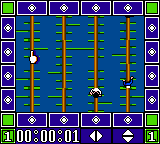
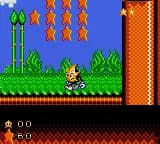
When you start Kinetic Connection, you'll see a menu screen entirely in Japanese. The game likely offers a selection of puzzles to solve. Use the D-Pad to highlight an option and press X (A button) to confirm. Once a puzzle is chosen, you'll face a scrambled image made of tiles that must be arranged into the correct order.
The core loop involves moving pieces around to reconstruct the picture. This is a tile-based jigsaw, so you probably select a tile with the D-pad and then swap it with an adjacent empty space or another tile. The goal is to complete the image, at which point it will play a short animation. If you're unfamiliar with Japanese, look for numbers or picture cues to identify the correct layout. Be patient and experiment with tile movement.
CONTROLS
Controls
- Arrow Keys: D-Pad / Movement
- X: Button 1
- S: Button 2
- Enter: Start / Pause
Kinetic Connection FAQ
Who developed Kinetic Connection?
The original game was developed and published by Irem for the Famicom Disk System. The developer credit for this specific Game Gear port is not widely documented, though Irem likely handled it.
Is Kinetic Connection exclusive to Game Gear or did it appear on other systems?
Kinetic Connection appeared on multiple platforms including the Famicom Disk System, Commodore 64, MSX, and Game Gear. It is not exclusive to any single system.
Is Kinetic Connection an official release, a fan hack, a prototype, or another kind of build?
This is an official commercial release. Irem published it for the Game Gear as a port of their earlier Disk System title. It is not a hack, prototype, homebrew, or fan translation.








COMMENTS (0)
No comments yet. Be the first to share your thoughts.