The game loads when you press Play · press “Play Now” inside the game if it asks.
Strider 2 (USA)
Strider 2
Inside Strider 2
- PlayStation PSX
- Action
- 5· 0 votes
Strider 2 (USA) is a classic action game released for the PlayStation PSX. Developed by Capcom, this title is a sequel to the original Strider, which first appeared in arcades. It was released in the late 1990s and is known for its fast-paced gameplay and stylish graphics that reflect the platform's capabilities well.
In Strider 2, players take on the role of Hiryu, a skilled ninja equipped with a signature weapon called the Cypher. The gameplay combines platforming and combat, allowing players to traverse diverse environments while battling enemies using quick reflexes and precise timing. The game features a variety of levels, each with unique challenges and bosses, which keeps the experience engaging throughout.
Today, Strider 2 remains a noteworthy title that showcases the evolution of action games during the PSX era. Its blend of platforming and combat mechanics, along with its vibrant art style, make it an appealing choice for both retro enthusiasts and new players. While it may not have the same level of recognition as some contemporaries, its solid gameplay and nostalgic value certainly make it worth a try for fans of the genre.
GAME INFO
More Strider Games
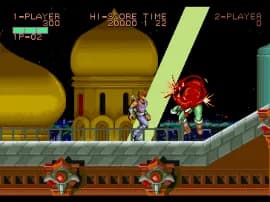
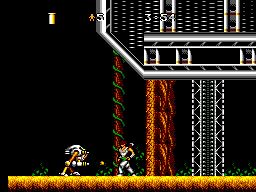
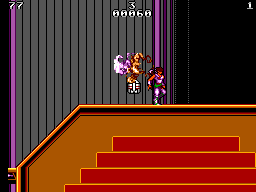
Ready for another round? Explore more Strider games and console editions. Choose a game below to play it on its own page.
How to play Strider 2 online
Getting started with Strider 2 involves selecting your game mode and diving into the action. The core mechanics revolve around navigating through levels, defeating enemies, and utilizing your abilities strategically. Familiarizing yourself with the controls is crucial, especially mastering the timing for attacks and jumps.
As you progress, you'll encounter various enemies and bosses, each requiring different tactics to overcome. Collecting power-ups and learning the layout of each level can greatly enhance your gameplay experience. Don't hesitate to experiment with different strategies to find what works best for you.
CONTROLS
Controls
- Arrow Keys — D-Pad / Movement
- X — Cross ( × )
- S — Square ( □ )
- Z — Triangle ( △ )
- A — Circle ( ○ )
- Q — L1 shoulder
- E — R1 shoulder
- Enter — Start
- V — Select
Strider 2 FAQ
Who developed Strider 2?
Capcom is the developer behind Strider 2, continuing the legacy of the original arcade game. The studio is well-known for creating iconic franchises in the gaming industry.
In what year was Strider 2 originally released?
The original release year for Strider 2 is not widely documented. However, it was launched during the late 1990s on the PlayStation platform.
Is Strider 2 exclusive to PlayStation PSX or did it appear on other systems?
Strider 2 was primarily released for the PlayStation PSX, and there are no widely known ports to other systems. The game remains a unique entry in the PSX library.












COMMENTS (0)
No comments yet. Be the first to share your thoughts.