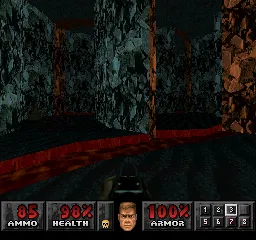
The game loads when you press Play · press “Play Now” inside the game if it asks.
Doom
Doom
Doom on PSX
- PlayStation PSX
- Shooter
- 5· 0 votes
GAME INFO
- Platform
- PlayStation PSX
- Genre
- Shooter
- Developer
- id Software
- Released
- 1995
- Players
- 1
- Region
- USA
More Doom Games
Ready for another round? Explore more Doom games and console editions. Choose a game below to play it on its own page.
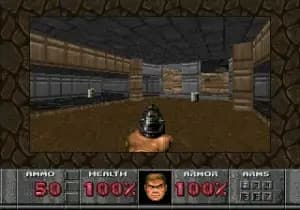

How to play Doom online
CONTROLS
Controls
- Arrow Keys — D-Pad / Movement
- X — Cross ( × )
- S — Square ( □ )
- Z — Triangle ( △ )
- A — Circle ( ○ )
- Q — L1 shoulder
- E — R1 shoulder
- Enter — Start
- V — Select
Doom FAQ
Who developed Doom?
Doom was developed by id Software, a company known for its pioneering work in the first-person shooter genre. The development team included notable figures like John Carmack and John Romero.
Is Doom exclusive to PlayStation PSX or did it appear on other systems?
Doom is not exclusive to the PlayStation PSX; it has been released on various platforms, including PC, Sega 32X, and later consoles. Its widespread popularity led to numerous ports and adaptations over the years.
Roughly how long does it take to finish Doom?
The time it takes to finish Doom can vary depending on player skill and familiarity with the game. On average, a player might complete it in around 8 to 12 hours, especially if they are exploring for secrets and power-ups.
You may also like
All PlayStation PSX games











GAME INFO
- Platform
- PlayStation PSX
- Genre
- Shooter
- Developer
- id Software
- Released
- 1995
- Players
- 1
- Region
- USA
COMMENTS (0)
No comments yet. Be the first to share your thoughts.