RoboCop (Japan)
RoboCop (Japan) Overview
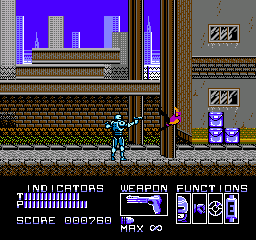
RoboCop (Japan) is a run and gun action game released for the Nintendo Entertainment System. Developed by Data East, this title is based on the popular 1987 film of the same name and was released in Japan in 1990. While it shares its name with other RoboCop games, this version is distinct to the NES and offers a unique experience for fans of both the movie and the genre.
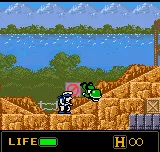
In RoboCop, players take on the role of the titular character as they navigate through various levels filled with enemies and obstacles. The gameplay primarily revolves around side-scrolling action, where players must shoot enemies while avoiding hazards. You can collect power-ups to enhance your abilities, and the game features a mix of platforming and combat mechanics, which were common in action games of the era.
This game holds a place in the NES library as a solid example of licensed titles from the early '90s. While it may not reach the heights of other classic NES games, it offers enjoyable gameplay for fans of the genre. If you're a retro gaming enthusiast or a RoboCop fan, it's worth giving this version a try, even if it's not the most groundbreaking title of its time.
How to Play RoboCop (Japan) Online
Getting started in RoboCop involves selecting the game from the main menu, which is presented in Japanese. Players will need to navigate through the options using the controls listed above. Once in the game, the core loop consists of moving through levels, defeating enemies, and collecting items to enhance your abilities.
The gameplay is structured around progressing through stages, each with its own set of challenges. Important mechanics include shooting enemies and jumping over obstacles. Since the menus are in Japanese, players may want to familiarize themselves with the basic navigation and options to fully enjoy the game. Overall, patience and practice are key to mastering the levels and enjoying the experience.
RoboCop (Japan) Keyboard Controls
Controls
- Arrow Keys — D-Pad / Movement
- X — A button (jump / confirm)
- S — B button (run / attack / cancel)
- Enter — Start / Pause
- V — Select
![Metal Slug 5 Plus (bootleg) [Bootleg]](/images/default-game-thumb.webp)
Comments (0)