The game loads when you press Play · press “Play Now” inside the game if it asks.
RoboCop 3 (USA)
RoboCop 3
RoboCop 3 Overview
- Nintendo Entertainment System
- Action
- 5· 0 votes
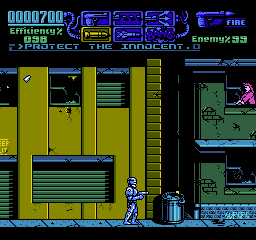
RoboCop 3 (USA) is a video game released for the Nintendo Entertainment System, based on the popular film franchise. It was developed by the team at Ocean Software and released in 1992. This title is part of the action genre, fitting into a time when licensed games were making a significant impact on the gaming landscape, especially for home consoles like the NES.
In RoboCop 3, you take on the role of the titular character, tasked with fighting crime in a dystopian future. The gameplay primarily consists of side-scrolling action, where players navigate through various levels, engaging in combat with enemies and overcoming obstacles. Players utilize a range of moves and attacks to defeat foes, while also collecting power-ups and items to enhance their abilities.
This game is a notable entry in the RoboCop series, though it may not be as celebrated as some other titles of its time. It provides a nostalgic experience for fans of the franchise and retro gaming enthusiasts alike. While it may not offer the depth of some contemporary titles, it captures the essence of action games from the early '90s, making it worth a try for those who appreciate classic gaming experiences and the RoboCop universe.
GAME INFO
- Platform
- Nintendo Entertainment System
- Genre
- Action
- Publisher
- Ocean Software
- Developer
- Ocean Software
- Released
- 1992
- Players
- 1
- Region
- USA
More RoboCop Games
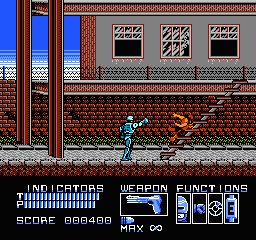
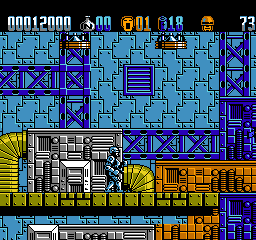
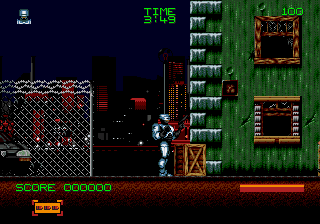
Ready for another round? Explore more RoboCop games and console editions. Choose a game below to play it on its own page.
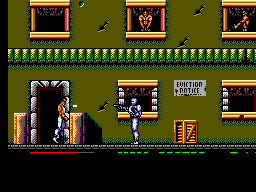
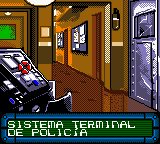

How to play RoboCop 3 online
To get started in RoboCop 3, select your game mode and begin your mission to clean up the streets. The game unfolds across various levels, each requiring players to defeat enemies, avoid hazards, and complete objectives. As you play, mastering the controls and learning enemy patterns will be essential for progression.
The core loop involves moving through levels, engaging in combat, and utilizing power-ups effectively. Pay attention to the environment as you navigate; some areas might contain hidden items or shortcuts. Familiarize yourself with your moves and combos to efficiently tackle the enemies you encounter. Although the game may seem straightforward, timing and strategy play vital roles in overcoming the challenges that lie ahead.
CONTROLS
Controls
- Arrow Keys — D-Pad / Movement
- X — A button (jump / confirm)
- S — B button (run / attack / cancel)
- Enter — Start / Pause
- V — Select
RoboCop 3 FAQ
Who developed RoboCop 3?
The developer of RoboCop 3 is Ocean Software, a company known for creating various licensed games during the NES era.
Does RoboCop 3 have a multiplayer or co-op mode?
RoboCop 3 is a single-player game, focusing on a solo experience as players navigate through its levels and challenges.
What type of game is RoboCop 3?
This game is classified as an action title, incorporating side-scrolling gameplay with combat elements typical of the genre during the early 1990s.
You may also like
All Nintendo Entertainment System games











GAME INFO
- Platform
- Nintendo Entertainment System
- Genre
- Action
- Publisher
- Ocean Software
- Developer
- Ocean Software
- Released
- 1992
- Players
- 1
- Region
- USA
COMMENTS (0)
No comments yet. Be the first to share your thoughts.