CHOOSE A VERSION
2 versions · same consoleChoose an original release, regional version, revision, bootleg or clearly labelled ROM hack/mod, then press Play. Hacks may change the gameplay. Switching versions restarts the player.
Selected: Default · USA · USA
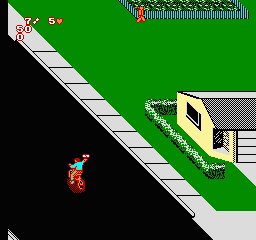
The game loads when you press Play · press “Play Now” inside the game if it asks.
Paperboy 2 (USA)
Paperboy 2
Paperboy 2 on NES
- Nintendo Entertainment System
- Action
- 5· 0 votes
Paperboy 2 is an action game released for the Nintendo Entertainment System in the early 1990s. Developed as a sequel to the original Paperboy, it retains the classic arcade-style gameplay that the franchise is known for. This title is part of a genre that combines elements of simulation and racing, putting players in the role of a paper delivery person navigating through neighborhood streets.
In Paperboy 2, players take on the role of a paperboy tasked with delivering newspapers while avoiding various obstacles. The gameplay revolves around cycling through a neighborhood, tossing newspapers at subscribers' houses while dodging cars, pets, and other hazards. Players can also earn points by performing tricks or hitting targets, adding a layer of skill to the core delivery mechanics.
This title is worth trying today for its nostalgic value and unique blend of simulation and action. While it may not have the depth of some contemporary games, it captures the essence of the early gaming era with its straightforward yet engaging gameplay. Fans of classic arcade games will appreciate its charm and simplicity, making it a fun experience for both new players and those reminiscing about the past.
GAME INFO
More Paperboy Games
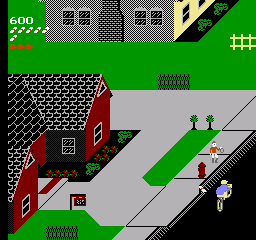
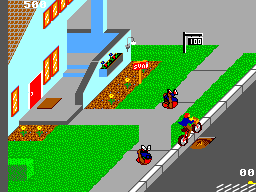
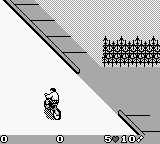
Ready for another round? Explore more Paperboy games and console editions. Choose a game below to play it on its own page.
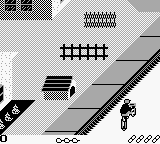
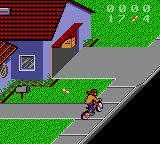
How to play Paperboy 2 online
To get started in Paperboy 2, begin by selecting your character and choosing a difficulty level. The game will place you in a neighborhood where your primary objective is to deliver newspapers to customers while avoiding obstacles. The core loop involves cycling through the streets, tossing newspapers at designated houses, and navigating around various challenges such as cars and pets.
As you progress, keep an eye on the subscriber list and ensure you deliver to each house marked with a newspaper icon. Hitting targets or performing tricks can earn you bonus points, so don’t hesitate to experiment with your throws. Mastering the controls and understanding the neighborhood layout will help improve your delivery efficiency and score.
CONTROLS
Controls
- Arrow Keys — D-Pad / Movement
- X — A button (jump / confirm)
- S — B button (run / attack / cancel)
- Enter — Start / Pause
- V — Select
Paperboy 2 FAQ
Who developed Paperboy 2?
The developer of Paperboy 2 is not widely documented, but it is known to be a sequel to the original Paperboy.
Does Paperboy 2 have a multiplayer or co-op mode?
Paperboy 2 does not feature a multiplayer or co-op mode, as it is designed for single-player gameplay.
Can players save progress in Paperboy 2?
Players cannot save progress in Paperboy 2, as the game does not include a save feature.












COMMENTS (0)
No comments yet. Be the first to share your thoughts.