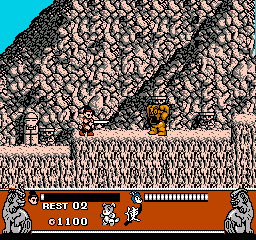
Matendouji (Japan)
Matendouji (Japan) Overview
Matendouji, released exclusively in Japan for the Nintendo Entertainment System, is a unique title that blends action and puzzle elements. The game was developed during an era rich in platforming adventures, though specific details about its developer are not widely documented. As a Japanese-only release, it offers a glimpse into the gaming culture of the time, showcasing the creativity and innovation found in many NES titles.
In Matendouji, players engage in gameplay that revolves around navigating levels filled with various challenges and enemies. The mechanics likely involve jumping, running, and utilizing different power-ups or abilities to overcome obstacles. While the exact gameplay specifics are not well-documented, the structure mirrors common platforming conventions of the NES era, emphasizing skillful movement and timing.
What makes Matendouji worth exploring today is its representation of the platforming genre during the late 1980s in Japan. While it may not have the widespread recognition of other NES classics, it offers a nostalgic experience for fans of lesser-known titles. If you're someone who enjoys digging through the library of retro games, this title presents an interesting case study in design choices and gameplay mechanics that were prevalent in its time.
How to Play Matendouji (Japan) Online
To get started with Matendouji, first select your game mode from the main menu. Since this title is in Japanese, you may need to familiarize yourself with the menu layout. After entering the game, you'll find yourself navigating through various levels, each containing unique challenges.
The core gameplay loop involves running, jumping, and overcoming obstacles while defeating enemies along the way. Pay attention to any power-ups that may appear, as they can significantly aid your progress. Understanding the level design and enemy patterns will be crucial for advancing through the game, so take your time to explore each area thoroughly.
Matendouji (Japan) Keyboard Controls
Controls
- Arrow Keys — D-Pad / Movement
- X — A button (jump / confirm)
- S — B button (run / attack / cancel)
- Enter — Start / Pause
- V — Select






Comments (0)