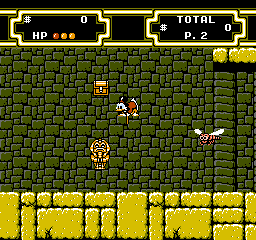
Duck Tales 2 (Japan)
Duck Tales 2 (Japan) - Platformer Classic
Duck Tales 2 (Japan) is a classic action platformer released for the Nintendo Entertainment System, developed by Capcom. It launched in Japan, following the success of its predecessor, Duck Tales. While the original Duck Tales gained widespread acclaim, this sequel continued the adventures of Scrooge McDuck and his quest to find treasure, featuring similar gameplay mechanics and visuals that fans loved.
In this game, players control Scrooge McDuck as he travels through various levels, using his iconic cane to jump, attack enemies, and navigate obstacles. The gameplay involves exploring different environments, collecting items, and engaging in boss battles. Each level offers unique challenges, and players must master the mechanics of bouncing on enemies and using the cane effectively to progress.
Duck Tales 2 holds a special place in the hearts of retro gaming fans due to its charming graphics and nostalgic gameplay. While it may not introduce groundbreaking mechanics, it expands on the beloved formula established by the first game. For fans of platformers from the late 80s and early 90s, Duck Tales 2 is worth revisiting, as it captures the essence of the era while providing enjoyable challenges and memorable moments.
How to Play Duck Tales 2 (Japan) Online
Getting Started: To begin playing Duck Tales 2, start by navigating the main menu, which is in Japanese. You can select your game mode and begin your adventure. Once in the game, you will control Scrooge McDuck as he embarks on a treasure hunt across various themed levels.
The core loop consists of exploring levels, defeating enemies, and collecting treasures. Pay attention to your surroundings, as some areas may require specific actions with your cane to access hidden items or defeat tougher foes. Familiarize yourself with the controls to make the most of Scrooge's abilities, as timing and precision are key to overcoming obstacles and bosses.
Duck Tales 2 (Japan) Keyboard Controls
Controls
- Arrow Keys — D-Pad / Movement
- X — A button (jump / confirm)
- S — B button (run / attack / cancel)
- Enter — Start / Pause
- V — Select





Comments (0)