CHOOSE A VERSION
2 versions · same consoleChoose an original release, regional version, revision, bootleg or clearly labelled ROM hack/mod, then press Play. Hacks may change the gameplay. Switching versions restarts the player.
Selected: Default · Europe · Europe
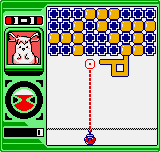
The game loads when you press Play · press “Play Now” inside the game if it asks.
Puzzle Link (Europe)
Puzzle Link
Getting to Know Puzzle Link
- NEO-GEO Pocket
- Puzzle
- 5· 0 votes
GAME INFO
- Platform
- NEO-GEO Pocket
- Genre
- Puzzle
- Publisher
- SNK
- Released
- 1999
- Region
- Europe
More Puzzle Link Games
Ready for another round? Explore more Puzzle Link games and console editions. Choose a game below to play it on its own page.
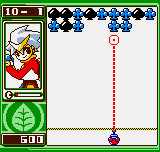
How to play Puzzle Link online
CONTROLS
Controls
- Arrow Keys: D-Pad / Movement
- X: A button
- S: B button
- Z: Y button
- A: X button
- Q: L shoulder
- E: R shoulder
- Enter: Start
- V: Select
Puzzle Link FAQ
Is there anything iconic or memorable about Puzzle Link?
Puzzle Link is remembered as one of the early puzzle games for the NEO-GEO Pocket Color. Its straightforward gem-swapping mechanics and fast-paced action made it a solid choice for handheld gaming sessions. It lacks the flashy presentation of some contemporaries but offers reliable, addictive gameplay.
What type of game is Puzzle Link?
It is a column-matching puzzle game where players swap adjacent gems to form vertical or horizontal lines of three or more. The core loop involves matching and clearing gems to prevent the board from overflowing, similar to games like Columns but with a swap-based twist.
Is Puzzle Link exclusive to NEO-GEO Pocket or did it appear on other systems?
Puzzle Link was released exclusively for the NEO-GEO Pocket Color. It did not appear on other platforms during its original run, though it may be included in later SNK compilations or re-releases on other systems.
You may also like
All NEO-GEO Pocket games SNK vs. Capcom - Card Fighters' Clash - SNK Version
 Samurai Shodown! 2 - Pocket Fighting Series
 SNK Gals' Fighters
 SNK vs. Capcom - Card Fighters' Clash - Capcom Version
 King of Fighters R-2 - Pocket Fighting Series
 Rockman - Battle & Fighters
 Fatal Fury F-Contact - Pocket Fighting Series
 King of Fighters R-1 - Pocket Fighting Series
 King of Fighters, The - Battle de Paradise
 Puyo Pop
 Metal Slug - 2nd Mission
 Neo Turf Masters
GAME INFO
- Platform
- NEO-GEO Pocket
- Genre
- Puzzle
- Publisher
- SNK
- Released
- 1999
- Region
- Europe
COMMENTS (0)
No comments yet. Be the first to share your thoughts.