CHOOSE A VERSION
2 versions · same consoleChoose an original release, regional version, revision, bootleg or clearly labelled ROM hack/mod, then press Play. Hacks may change the gameplay. Switching versions restarts the player.
Selected: Default · USA · USA

The game loads when you press Play · press “Play Now” inside the game if it asks.
Zhu Zhu Pets (USA)
Zhu Zhu Pets
About Zhu Zhu Pets
- Nintendo DS
- Simulation
- 5· 0 votes
GAME INFO
- Platform
- Nintendo DS
- Genre
- Simulation
- Released
- 2009
- Players
- 1
- Region
- USA
More Zhu Zhu Pets Games
Ready for another round? Explore more Zhu Zhu Pets games and console editions. Choose a game below to play it on its own page.
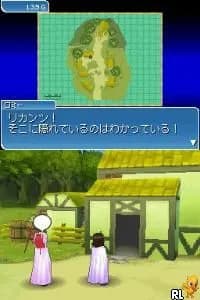
How to play Zhu Zhu Pets online
CONTROLS
Controls
- Arrow Keys — D-Pad / Movement
- X — A button
- S — B button
- Z — Y button
- A — X button
- Q — L shoulder
- E — R shoulder
- Enter — Start
- V — Select
Zhu Zhu Pets FAQ
Is there anything iconic or memorable about Zhu Zhu Pets?
The game captures the essence of the Zhu Zhu Pets brand, which became a cultural phenomenon in the late 2000s. Its charming graphics and engaging gameplay resonate with fans of the toys and the family-friendly audience it targets.
Can players save progress in Zhu Zhu Pets?
Yes, players can save their progress, allowing them to return to their pet care activities without losing any advancements. This feature is helpful for managing gameplay sessions, especially for younger players.
Is Zhu Zhu Pets exclusive to Nintendo DS or did it appear on other systems?
Zhu Zhu Pets was primarily released for the Nintendo DS, with no widely documented versions available on other platforms. Its unique gameplay suited the handheld experience, making it a fitting title for the DS library.
You may also like
All Nintendo DS games











GAME INFO
- Platform
- Nintendo DS
- Genre
- Simulation
- Released
- 2009
- Players
- 1
- Region
- USA
COMMENTS (0)
No comments yet. Be the first to share your thoughts.