CHOOSE A VERSION
2 versions · same consoleChoose an original release, regional version, revision, bootleg or clearly labelled ROM hack/mod, then press Play. Hacks may change the gameplay. Switching versions restarts the player.
Selected: Default · USA · USA
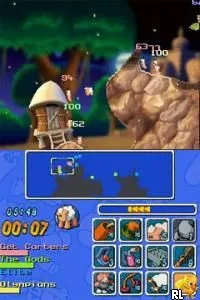
The game loads when you press Play · press “Play Now” inside the game if it asks.
Worms - Open Warfare (USA)
Worms - Open Warfare
Worms - Open Warfare: NDS Strategy
- Nintendo DS
- Strategy
- 5· 0 votes
GAME INFO
- Platform
- Nintendo DS
- Genre
- Strategy
- Released
- 2006
- Players
- 1-2
- Region
- USA
More Worms - Open Warfare Games
Ready for another round? Explore more Worms - Open Warfare games and console editions. Choose a game below to play it on its own page.
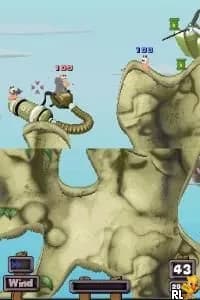
How to play Worms - Open Warfare online
CONTROLS
Controls
- Arrow Keys — D-Pad / Movement
- X — A button
- S — B button
- Z — Y button
- A — X button
- Q — L shoulder
- E — R shoulder
- Enter — Start
- V — Select
Worms - Open Warfare FAQ
Who developed Worms - Open Warfare?
Team17 is the studio behind the development of Worms - Open Warfare, continuing the legacy of the Worms series established in the 1990s.
In what year was Worms - Open Warfare originally released?
Worms - Open Warfare was released in 2006, marking its entry into the Nintendo DS platform as part of the long-running franchise.
Roughly how long does it take to finish Worms - Open Warfare?
Completing the game can vary greatly depending on the player's skill level, but it generally takes several hours to finish the single-player campaign, with additional time for multiplayer matches.
You may also like
All Nintendo DS games











GAME INFO
- Platform
- Nintendo DS
- Genre
- Strategy
- Released
- 2006
- Players
- 1-2
- Region
- USA
COMMENTS (0)
No comments yet. Be the first to share your thoughts.