CHOOSE A VERSION
2 versions · same consoleChoose an original release, regional version, revision, bootleg or clearly labelled ROM hack/mod, then press Play. Hacks may change the gameplay. Switching versions restarts the player.
Selected: Default · USA · En,Fr · USA
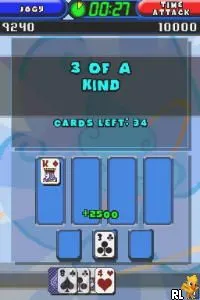
The game loads when you press Play · press “Play Now” inside the game if it asks.
TouchMaster 2 (USA) (En,Fr)
TouchMaster 2
Inside TouchMaster 2
- Nintendo DS
- Puzzle
- 5· 0 votes
GAME INFO
- Platform
- Nintendo DS
- Genre
- Puzzle
- Publisher
- Midway Games
- Released
- 2007
- Players
- 1
- Region
- USA
More TouchMaster Games
Ready for another round? Explore more TouchMaster games and console editions. Choose a game below to play it on its own page.
How to play TouchMaster 2 online
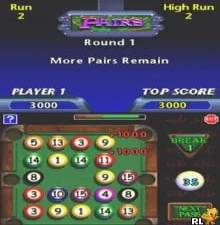
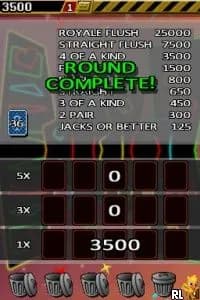
To get started in TouchMaster 2, choose a mini-game from the main menu. Each mini-game has its own set of rules and objectives, so take a moment to read through the instructions if you're unsure. The controls are intuitive, especially with the touch screen, making it easy to jump right into the action.
The core loop revolves around completing mini-games to rack up points and unlock additional content. Pay attention to the scoring mechanics, as some games may reward speed or accuracy. As you play, you'll find that mastering the various mini-games can lead to higher scores and more enjoyment over time.
CONTROLS
Controls
- Arrow Keys — D-Pad / Movement
- X — A button
- S — B button
- Z — Y button
- A — X button
- Q — L shoulder
- E — R shoulder
- Enter — Start
- V — Select
TouchMaster 2 FAQ
Is TouchMaster 2 exclusive to Nintendo DS or did it appear on other systems?
It is exclusive to the Nintendo DS and did not appear on other systems. The TouchMaster series is primarily associated with handheld devices, particularly the DS.
Which regions was TouchMaster 2 released in?
TouchMaster 2 was released in the USA and features both English and French language options. The game was designed to cater to a North American audience.
Is there anything iconic or memorable about TouchMaster 2?
The game is notable for its engaging collection of mini-games that leverage the DS's touch screen. While it may not have achieved iconic status, it remains a fun and nostalgic experience for fans of casual gaming during the DS era.
You may also like
All Nintendo DS games











GAME INFO
- Platform
- Nintendo DS
- Genre
- Puzzle
- Publisher
- Midway Games
- Released
- 2007
- Players
- 1
- Region
- USA
COMMENTS (0)
No comments yet. Be the first to share your thoughts.