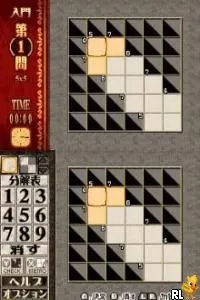
The game loads when you press Play · press “Play Now” inside the game if it asks.
Puzzle Series Vol. 4 - Kakuro (Japan)
Puzzle Series Vol. 4 - Kakuro
About Puzzle Series Vol. 4 - Kakuro
- Nintendo DS
- Puzzle
- 5· 0 votes
GAME INFO
- Platform
- Nintendo DS
- Genre
- Puzzle
- Players
- 1
- Region
- Japan
More Puzzle Series Vol. Games
Ready for another round? Explore more Puzzle Series Vol. games and console editions. Choose a game below to play it on its own page.
 Puzzle Series Vol. 11 - Nurikabe
 Puzzle Series Vol. 13 - Kanji Puzzle
 Puzzle Series Vol. 1 - Jigsaw Puzzle
 Puzzle Series Vol. 2 - Crossword
 Puzzle Series Vol. 7 - Crossword 2
 Puzzle Series Vol. 9 - Sudoku 2 Deluxe
 Puzzle Series Vol. 8 - Nankuro
 Puzzle Series Vol. 12 - Bijutsukan
 Puzzle Series Vol. 5 - Slither Link
 Puzzle Series Vol. 10 - Hitori ni Shitekure
 Puzzle Series Vol. 6 - Illust Logic
How to play Puzzle Series Vol. 4 - Kakuro online
CONTROLS
Controls
- Arrow Keys — D-Pad / Movement
- X — A button
- S — B button
- Z — Y button
- A — X button
- Q — L shoulder
- E — R shoulder
- Enter — Start
- V — Select
Puzzle Series Vol. 4 - Kakuro FAQ
Is there anything iconic or memorable about Puzzle Series Vol. 4 - Kakuro?
The game is notable for being part of the Puzzle Series on the Nintendo DS, which catered to fans of logic puzzles. Kakuro itself has a dedicated following, and this title captures the essence of the genre with its challenging gameplay.
What type of game is Puzzle Series Vol. 4 - Kakuro?
This title is primarily a puzzle game, focusing on Kakuro mechanics that require players to solve number-based challenges similar to crosswords. It emphasizes logical reasoning and deduction, making it appealing to puzzle enthusiasts.
Does Puzzle Series Vol. 4 - Kakuro have a multiplayer or co-op mode?
There is no known multiplayer or co-op mode in this game. It is designed as a single-player experience, allowing players to tackle puzzles at their own pace.
You may also like
All Nintendo DS games











GAME INFO
- Platform
- Nintendo DS
- Genre
- Puzzle
- Players
- 1
- Region
- Japan
COMMENTS (0)
No comments yet. Be the first to share your thoughts.