CHOOSE A VERSION
2 versions · same consoleChoose an original release, regional version, revision, bootleg or clearly labelled ROM hack/mod, then press Play. Hacks may change the gameplay. Switching versions restarts the player.
Selected: Default · USA · En,Fr · USA
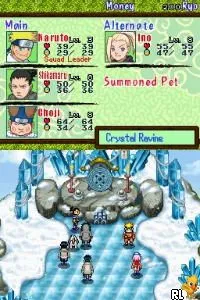
The game loads when you press Play · press “Play Now” inside the game if it asks.
Naruto - Path of the Ninja 2 (USA) (En,Fr)
Naruto - Path of the Ninja 2
What is Naruto - Path of the Ninja 2?
- Nintendo DS
- RPG
- 5· 0 votes
GAME INFO
- Platform
- Nintendo DS
- Genre
- RPG
- Released
- 2007
- Players
- 1
- Region
- USA
More Naruto - Path of the Ninja Games
Ready for another round? Explore more Naruto - Path of the Ninja games and console editions. Choose a game below to play it on its own page.
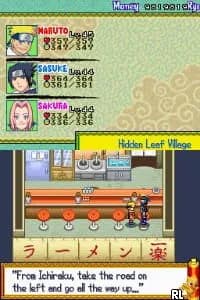
How to play Naruto - Path of the Ninja 2 online
To get started, select a new game from the main menu. You'll be prompted to choose a character, and it's a good idea to familiarize yourself with their abilities. The core loop involves completing missions, leveling up your characters, and engaging in battles against various foes. As you play, focus on building your team's strength and learning the strengths and weaknesses of different characters. Pay attention to the mechanics of turn-based combat, as strategy plays a big role in overcoming tougher enemies. Completing missions will not only advance the story but also reward you with experience points and items to aid in your journey.
CONTROLS
Controls
- Arrow Keys — D-Pad / Movement
- X — A button
- S — B button
- Z — Y button
- A — X button
- Q — L shoulder
- E — R shoulder
- Enter — Start
- V — Select
Naruto - Path of the Ninja 2 FAQ
What makes Naruto - Path of the Ninja 2 stand out among Nintendo DS titles of its era?
The game stands out due to its combination of turn-based RPG mechanics and a strong connection to the Naruto anime series. It offers a unique blend of character customization and familiar story elements that appeal to fans of the franchise.
Is there anything iconic or memorable about Naruto - Path of the Ninja 2?
One memorable aspect is its faithful representation of the Naruto characters and their abilities, which resonates well with fans. The game also includes various iconic locations from the series, enhancing the overall experience for players.
Who developed Naruto - Path of the Ninja 2?
The game was developed by Tomy, known for its involvement with various anime-based titles and games, particularly those in the Naruto series.
You may also like
All Nintendo DS games











GAME INFO
- Platform
- Nintendo DS
- Genre
- RPG
- Released
- 2007
- Players
- 1
- Region
- USA
COMMENTS (0)
No comments yet. Be the first to share your thoughts.