The game loads when you press Play · press “Play Now” inside the game if it asks.
Interactive Storybook DS - Series 2 (USA)
Interactive Storybook DS - Series 2
Interactive Storybook DS - Series 2 on NDS
- Nintendo DS
- Educational
- 5· 0 votes
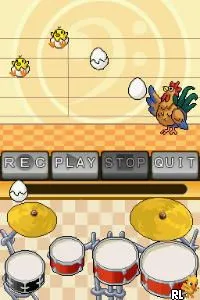
Interactive Storybook DS - Series 2 is an educational title released for the Nintendo DS. This game is part of a series designed to engage young players through interactive story-based gameplay. While specific details about the developer and publisher are scarce, the game fits within the genre of educational software popular during the DS era, focusing on storytelling and literacy skills.
In this game, players navigate through various storybook adventures that combine reading with interactive elements. Players engage with the narrative by making choices that impact the flow of the story, allowing for a unique experience each time. The gameplay typically involves tapping on the screen to progress through text and illustrations, making it accessible for younger audiences and those new to gaming.
This title is worth exploring today for those interested in retro educational games or who appreciate narrative-driven experiences. While it may not have the complexity or depth of other titles from its time, it serves as a charming example of how games can promote literacy. For fans of the DS library, it offers a nostalgic glimpse into the educational games that aimed to entertain while teaching essential skills.
GAME INFO
- Platform
- Nintendo DS
- Genre
- Educational
- Players
- 1
- Region
- USA
More Interactive Storybook DS - Series Games
Ready for another round? Explore more Interactive Storybook DS - Series games and console editions. Choose a game below to play it on its own page.

How to play Interactive Storybook DS - Series 2 online
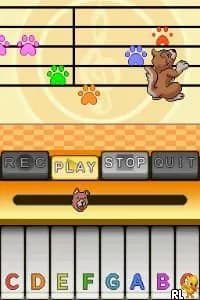
To get started with Interactive Storybook DS - Series 2, begin by selecting a story from the main menu. You'll find various options that lead you into different narrative adventures. As you progress, interact with on-screen elements to make choices that will shape the story's direction.
The core gameplay loop revolves around reading text and engaging with the story through touch inputs. Pay attention to the decisions you make, as they can lead to different outcomes. Since this game is aimed at a younger audience, it encourages exploration and creativity, making it an enjoyable experience for new players.
CONTROLS
Controls
- Arrow Keys — D-Pad / Movement
- X — A button
- S — B button
- Z — Y button
- A — X button
- Q — L shoulder
- E — R shoulder
- Enter — Start
- V — Select
Interactive Storybook DS - Series 2 FAQ
Who developed Interactive Storybook DS - Series 2?
The developer of this title is not widely documented, so specific details about the team behind the game remain unclear.
Does Interactive Storybook DS - Series 2 have a multiplayer or co-op mode?
There is no multiplayer or co-op mode available in this game, as it is primarily designed for single-player experiences focused on storytelling.
Roughly how long does it take to finish Interactive Storybook DS - Series 2?
The time to complete this game can vary significantly based on player choices, but it generally takes around 1 to 2 hours to experience the main storylines.
You may also like
All Nintendo DS games











GAME INFO
- Platform
- Nintendo DS
- Genre
- Educational
- Players
- 1
- Region
- USA
COMMENTS (0)
No comments yet. Be the first to share your thoughts.