
The game loads when you press Play · press “Play Now” inside the game if it asks.
Higurashi no Naku Koro ni Kizuna I (Japan)
Higurashi no Naku Koro ni Kizuna I
Higurashi no Naku Koro ni Kizuna I on NDS
- Nintendo DS
- Horror
- 5· 0 votes
GAME INFO
- Platform
- Nintendo DS
- Genre
- Horror
- Players
- 1
- Region
- Japan
More Higurashi no Naku Koro ni Kizuna Games
Ready for another round? Explore more Higurashi no Naku Koro ni Kizuna games and console editions. Choose a game below to play it on its own page.

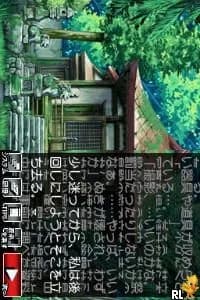
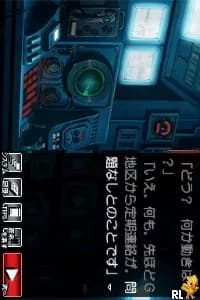
How to play Higurashi no Naku Koro ni Kizuna I online
CONTROLS
Controls
- Arrow Keys — D-Pad / Movement
- X — A button
- S — B button
- Z — Y button
- A — X button
- Q — L shoulder
- E — R shoulder
- Enter — Start
- V — Select
Higurashi no Naku Koro ni Kizuna I FAQ
Is Higurashi no Naku Koro ni Kizuna I considered easy to pick up or challenging?
The game generally requires some patience and understanding of its narrative structure. New players might find the language barrier challenging, as it is entirely in Japanese, but the core mechanics are straightforward.
What type of game is Higurashi no Naku Koro ni Kizuna I?
It is a visual novel that blends horror and mystery elements, focusing heavily on narrative and character interactions. Players make choices that significantly impact the story's progression and endings.
Is Higurashi no Naku Koro ni Kizuna I exclusive to Nintendo DS or did it appear on other systems?
This title was specifically released for the Nintendo DS and is not known to have appeared on other platforms. Its unique gameplay and story are tailored to the capabilities of the DS hardware.
You may also like
All Nintendo DS games









GAME INFO
- Platform
- Nintendo DS
- Genre
- Horror
- Players
- 1
- Region
- Japan
COMMENTS (0)
No comments yet. Be the first to share your thoughts.