CHOOSE A VERSION
2 versions · same consoleChoose an original release, regional version, revision, bootleg or clearly labelled ROM hack/mod, then press Play. Hacks may change the gameplay. Switching versions restarts the player.
Selected: Default · USA · En,Fr,Es · USA

The game loads when you press Play · press “Play Now” inside the game if it asks.
FIFA Street 3 (USA) (En,Fr,Es)
FIFA Street 3
FIFA Street 3 - Sports Classic
- Nintendo DS
- Sports
- 5· 0 votes
GAME INFO
- Platform
- Nintendo DS
- Genre
- Sports
- Publisher
- EA Sports Big
- Developer
- EA Vancouver
- Released
- 2008
- Players
- 1-2
- Region
- USA
More FIFA Street Games
Ready for another round? Explore more FIFA Street games and console editions. Choose a game below to play it on its own page.
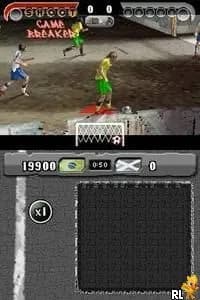
How to play FIFA Street 3 online
Getting started in FIFA Street 3 involves selecting a game mode from the main menu. Players can choose between various options such as quick matches or tournaments. Once a mode is selected, you can customize your team and jump straight into the action.
The core loop of the game revolves around scoring goals through skillful play. Mastering the trick moves is essential, as they allow players to outsmart opponents and create scoring opportunities. Practice makes perfect, so spending time in training modes to hone your skills is highly recommended.
CONTROLS
Controls
- Arrow Keys — D-Pad / Movement
- X — A button
- S — B button
- Z — Y button
- A — X button
- Q — L shoulder
- E — R shoulder
- Enter — Start
- V — Select
FIFA Street 3 FAQ
Is there anything iconic or memorable about FIFA Street 3?
The game is recognized for its vibrant graphics and emphasis on stylish play, which appealed to a younger audience. Its unique trick system and urban settings helped distinguish it from other soccer games of the time.
Is FIFA Street 3 exclusive to Nintendo DS or did it appear on other systems?
FIFA Street 3 was released on multiple platforms, including the PlayStation 3, Xbox 360, and Wii, in addition to the Nintendo DS. Each version offered different gameplay experiences tailored to the capabilities of the respective console.
Who developed FIFA Street 3?
EA Canada was responsible for the development of FIFA Street 3, contributing to the overall design and mechanics that define the game. The development team focused on creating an engaging street soccer experience across various platforms.
You may also like
All Nintendo DS games











GAME INFO
- Platform
- Nintendo DS
- Genre
- Sports
- Publisher
- EA Sports Big
- Developer
- EA Vancouver
- Released
- 2008
- Players
- 1-2
- Region
- USA
COMMENTS (0)
No comments yet. Be the first to share your thoughts.