CHOOSE A VERSION
2 versions · same consoleChoose an original release, regional version, revision, bootleg or clearly labelled ROM hack/mod, then press Play. Hacks may change the gameplay. Switching versions restarts the player.
Selected: Default · USA · En,Fr · USA
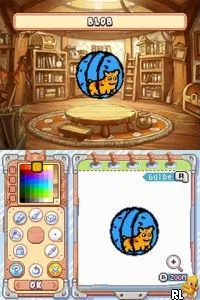
The game loads when you press Play · press “Play Now” inside the game if it asks.
Drawn to Life - The Next Chapter (USA) (En,Fr)
Drawn to Life - The Next Chapter
Inside Drawn to Life - The Next Chapter
- Nintendo DS
- Platformer
- 5· 0 votes
GAME INFO
- Platform
- Nintendo DS
- Genre
- Platformer
- Released
- 2009
- Players
- 1
- Region
- USA
- Based on
- Drawn to Life
More Drawn to Life Games
Ready for another round? Explore more Drawn to Life games and console editions. Choose a game below to play it on its own page.
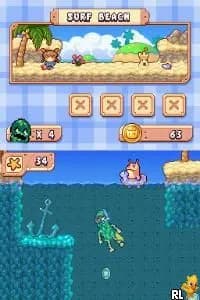
How to play Drawn to Life - The Next Chapter online
CONTROLS
Controls
- Arrow Keys — D-Pad / Movement
- X — A button
- S — B button
- Z — Y button
- A — X button
- Q — L shoulder
- E — R shoulder
- Enter — Start
- V — Select
Drawn to Life - The Next Chapter FAQ
Is there anything iconic or memorable about Drawn to Life - The Next Chapter?
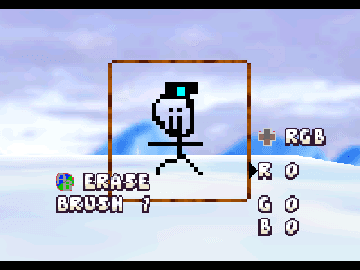
The game is notable for its innovative drawing mechanics that allow players to create objects and characters that become part of the gameplay. This unique feature distinguishes it from many other platformers of its time.
Does Drawn to Life - The Next Chapter have a multiplayer or co-op mode?
There is no multiplayer or co-op mode in this title. The focus is primarily on single-player gameplay, allowing players to explore and create at their own pace.
Is Drawn to Life - The Next Chapter considered easy to pick up or challenging?
The game is generally considered accessible for new players, thanks to its intuitive controls and engaging mechanics. However, some puzzles may present challenges that require creative thinking and experimentation.
You may also like
All Nintendo DS games











GAME INFO
- Platform
- Nintendo DS
- Genre
- Platformer
- Released
- 2009
- Players
- 1
- Region
- USA
- Based on
- Drawn to Life
COMMENTS (0)
No comments yet. Be the first to share your thoughts.