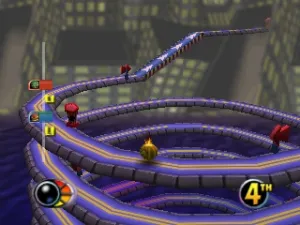
Iggy's Reckin' Balls (Europe)
What is Iggy's Reckin' Balls (Europe)?
Iggy's Reckin' Balls is a platformer game released for the Nintendo 64 in Europe. Developed by the team at Interactive Studios, this quirky title features unique gameplay mechanics centered around rolling balls and obstacle courses. Coming from the era of 3D platformers, it offers a distinct twist that sets it apart from many of its contemporaries.
In the game, players control Iggy, a ball-like character, as he navigates a variety of colorful levels filled with challenges and enemies. The gameplay focuses on rolling, jumping, and performing tricks to overcome obstacles and defeat opponents. Each level presents different layouts and hazards, requiring players to think strategically while maintaining speed and momentum to achieve high scores.
Iggy's Reckin' Balls may not be the most well-known title on the Nintendo 64, but it offers a unique experience for fans of the platforming genre. It stands out for its creative level design and engaging mechanics, making it a worthwhile addition for collectors or those looking to explore lesser-known gems from the console's library. While it may appeal more to niche audiences, the game is a fun throwback to the experimentation that defined many titles of its time.
How to Play Iggy's Reckin' Balls (Europe) Online
To get started in Iggy's Reckin' Balls, choose a level from the main menu. The objective is to navigate through each level while collecting items and defeating enemies. Familiarize yourself with the controls, as mastering Iggy's movement is crucial to successfully completing challenges.
As you progress, focus on the core gameplay loop of rolling and jumping through the levels. Timing your jumps and attacks is essential for overcoming obstacles. Pay attention to the environment, as each level has unique features and enemies that can impact your strategy. Practice is key to improving your skills and achieving higher scores.
Iggy's Reckin' Balls (Europe) Keyboard Controls
Controls
- Arrow Keys — D-Pad / Movement
- X — A button
- S — B button
- Z — Z trigger
- A — C-Down
- Q — L shoulder
- E — R shoulder
- Enter — Start






Comments (0)