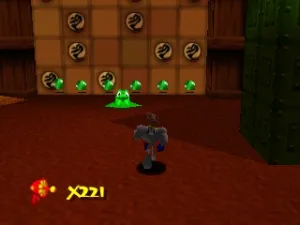
Earthworm Jim 3D (Europe) (En,Fr,De,Es,It)
Inside Earthworm Jim 3D (Europe) (En,Fr,De,Es,It)
Earthworm Jim 3D is a platformer game released for the Nintendo 64 in Europe. It was developed by the team behind the original Earthworm Jim series, which gained fame for its quirky humor and unique characters. This title marks the transition of the series into 3D, a common trend in the late 90s as many franchises sought to capitalize on the new technology of the time.
In this game, players control Earthworm Jim as he navigates through various levels filled with obstacles and enemies. The gameplay combines traditional platforming elements with 3D exploration, allowing players to run, jump, and utilize weapons to defeat foes. Each level presents different challenges, requiring players to adapt their strategies and utilize Jim's abilities effectively to progress.
Even today, Earthworm Jim 3D holds a niche appeal, especially for fans of 3D platformers from the late 90s. While it may not reach the same heights as its predecessors, it offers a nostalgic experience for those who enjoyed the franchise. The game captures the spirit of its era, blending humor with platforming action, making it a title worth revisiting for retro gaming enthusiasts.
How to Play Earthworm Jim 3D (Europe) (En,Fr,De,Es,It) Online
Getting Started: To begin playing Earthworm Jim 3D, start by selecting the game from your emulator. The game will typically open to a main menu where you can choose to start a new game or load a saved game. Once you begin, familiarize yourself with the controls and the layout of the first level.
As you play, your main objective is to navigate through levels filled with various enemies and obstacles. Collect power-ups and defeat foes using Jim's abilities. Pay attention to the environment, as there are often hidden items or paths that can aid your progression. The core loop revolves around exploring, combat, and completing objectives to move forward in the game.
Earthworm Jim 3D (Europe) (En,Fr,De,Es,It) Keyboard Controls
Controls
- Arrow Keys — D-Pad / Movement
- X — A button
- S — B button
- Z — Z trigger
- A — C-Down
- Q — L shoulder
- E — R shoulder
- Enter — Start






Comments (0)