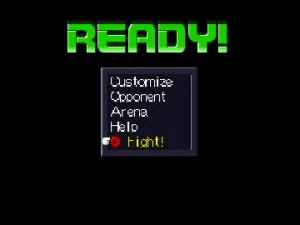
Custom Robo (English)
Custom Robo (English) Overview
Custom Robo (English) is a translation of the original Custom Robo game released for the Nintendo 64. Developed by Noise, this title falls within the action genre, focusing on mech battles using customizable robots. The translation allows English-speaking players to experience this unique title that originally only released in Japan.
In Custom Robo, players engage in intense battles using customizable robotic fighters called Robos. The gameplay revolves around choosing parts and weapons for your Robo, allowing for strategic planning before each match. Players navigate through various environments where they can fight against AI opponents or other players, emphasizing both skill and strategy in combat.
Despite being a niche title, Custom Robo has its charm and offers a different flavor compared to other action games of its time. The customization aspect provides depth, making it appealing for players who enjoy tinkering with their setups. While it may not have the broad appeal of some major franchises, its unique mechanics and engaging multiplayer mode make it worth a try for retro gaming enthusiasts today.
How to Play Custom Robo (English) Online
Getting started with Custom Robo involves first selecting your Robo and customizing it with various parts and weapons. As you progress, you'll engage in battles against AI opponents, honing your skills and learning the mechanics. Pay attention to the different parts available, as they significantly affect your Robo's performance in combat.
The core loop consists of battling opponents in various arenas, earning new parts, and upgrading your Robo. As you become more familiar with the combat mechanics and customization options, you'll find strategies that suit your playstyle. While the menus are primarily in Japanese, navigating them is straightforward, especially with practice.
Custom Robo (English) Keyboard Controls
Controls
- Arrow Keys — D-Pad / Movement
- X — A button
- S — B button
- Z — Z trigger
- A — C-Down
- Q — L shoulder
- E — R shoulder
- Enter — Start





Comments (0)