
The game loads when you press Play · press “Play Now” inside the game if it asks.
Shougi
Shougi
Shougi on MSX1
- MSX 1
- Board Game
- 5· 0 votes
GAME INFO
- Platform
- MSX 1
- Genre
- Board Game
More Shougi Games
Ready for another round? Explore more Shougi games and console editions. Choose a game below to play it on its own page.
How to play Shougi online
Getting Started
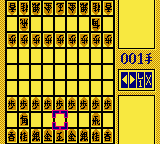
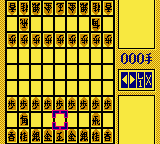
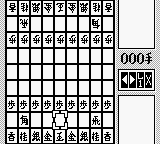
When you start Shougi, you are presented with a standard Shogi board (9x9 grid) and pieces in their starting positions. The game likely offers a single-player mode against the computer and possibly a two-player mode. Use the D-pad to navigate the board and select pieces. Press the confirm button (X) to pick up a piece, then move the cursor to a valid square and press confirm again to place it. The goal is to checkmate the opponent's king.
Because this is a Japanese title, all menus and in-game text will be in Japanese. Familiarize yourself with a Shogi ruleset beforehand, as the interface provides no tutorial. The game follows standard Shogi rules: pieces can promote when entering the opponent's promotion zone, and captured pieces can be dropped back onto the board as your own. Take your time learning the movement of each piece type - rook, bishop, gold general, etc.
The core loop of Shougi is alternating turns, moving one piece per turn. The computer opponent will respond with its move after yours. Winning requires strategic depth: control the center, protect your king, and plan ahead. If you're new to Shogi, consider playing a few games against a friend locally (if two-player support exists) or just practicing with the AI to grasp the flow.
CONTROLS
Controls
- Arrow Keys: D-Pad / Movement
- X: Trigger 1
- S: Trigger 2
- Enter: Start
Shougi FAQ
Is Shougi considered easy to pick up or challenging?
Shougi follows the same rules as traditional Japanese chess, which has a steeper learning curve than international chess due to piece promotion and the ability to drop captured pieces. Mastering it takes considerable practice, though the basic moves are simple to learn.
Is Shougi exclusive to MSX 1 or did it appear on other systems?
This specific version appears to be an MSX 1 exclusive, but Shogi games are common across many platforms. Whether this identical title saw release on other systems is not widely documented.
Is there anything iconic or memorable about Shougi?
Its faithfulness to the traditional board game and the clean, no-frills interface are its main draws. For fans of Shogi, having a faithful digital version on a classic 8-bit computer is a neat historical artifact.
You may also like
All MSX 1 games











GAME INFO
- Platform
- MSX 1
- Genre
- Board Game
COMMENTS (0)
No comments yet. Be the first to share your thoughts.