The game loads when you press Play · press “Play Now” inside the game if it asks.
Mini Golf
Mini Golf
Inside Mini Golf
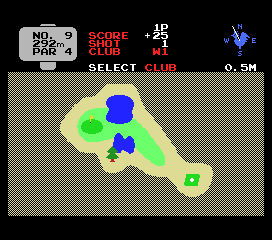
The player controls a golfer on a top-down or side-view course, aiming and powering shots to get the ball into the hole in as few strokes as possible. Typical mechanics involve selecting direction with a grid or arrow, then setting swing strength via a power meter. Hazards like ramps, walls, and water frequent the nine or eighteen holes, adding a playful challenge. There's no story or character progression - just pure, incremental trying to sink putts with precision under tight control.
For modern retro fans, Mini Golf serves as a neat snapshot of how sports games were designed during the MSX 1 era - simple, immediate, and somewhat forgiving. It's not a graphical marvel or deep simulation, but its pick-up-and-play nature still holds up for short sessions. Compared to other MSX golf titles like "Golf" or "Leader Board," it stays closer to a virtual mini-putt experience, which keeps it unique within the library. If you enjoy classic arcade sports or want a quick nostalgic round, it's worth a few minutes.
GAME INFO
How to play Mini Golf online
After loading the game, you'll likely see a title screen. Press Enter to start, then use the Arrow Keys to navigate any menu or select a course. The game probably presents a simple top-down view of the hole. Use the D-Pad to adjust your aiming direction - common in early golf games - then hold the A button (X on keyboard) to bring up a power meter; release it to swing. The B button (S) might cancel a shot or reset the cursor.
The core loop is clear: carefully line up your shot, gauge the power, and try to land the ball near the hole. Each successive stroke continues until the ball drops. Pay attention to slopes and obstacles; the physics are basic but consistent. There is no save feature, so the game is meant for one-sitting play. If the menus are in Japanese, look for a recognizable number of players option (1P/2P) and start with a simple button press. Experiment with the controls - the game is forgiving enough that you'll figure it out quickly.
CONTROLS
Controls
- Arrow Keys: D-Pad / Movement
- X: Trigger 1
- S: Trigger 2
- Enter: Start
Mini Golf FAQ
Does Mini Golf have a multiplayer or co-op mode?
The game likely supports two players taking turns, a common feature in early sports titles, but specific confirmation is not widely documented. If it does, each player simply alternates strokes on the same course.
Is Mini Golf exclusive to MSX 1 or did it appear on other systems?
This version appears to be an MSX 1 exclusive, though similar mini-golf games existed on other platforms like the Commodore 64 or Nintendo Entertainment System under different titles. No port evidence has been reliably recorded.
What type of game is Mini Golf?
It is a straightforward sports simulation focusing on miniature golf, where the player aims and powers putts through various obstacles on small courses. It belongs to the genre of arcade sports games popular on early home computers.












COMMENTS (0)
No comments yet. Be the first to share your thoughts.