The game loads when you press Play · press “Play Now” inside the game if it asks.
Dragon Quest 1
Dragon Quest 1
Dragon Quest 1 Overview
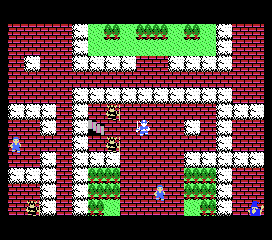
So you're looking at Dragon Quest 1 on the MSX 1. This is a direct port of the groundbreaking Japanese role-playing game that originally launched on the Famicom in 1986. Published by Enix and developed by Chunsoft, it dropped the same year for the MSX home computer platform, bringing turn-based fantasy adventures to a different audience. If you've only ever played the NES version, the MSX port retains the same core experience but with slightly different audio and visuals due to the hardware.
The player controls a lone hero on a quest to rescue Princess Gwaelin and defeat the Dragon Lord. You explore a top-down overworld, talk to townsfolk, buy equipment, and battle random encounters in a turn-based menu system. Combat is simple: pick Fight, Spell, Item, or Run. Grinding for experience and gold is essential, and the game saves progress via a password system rather than battery backup. The MSX version uses keyboard input or a joystick for movement and menu selection.
Dragon Quest 1 on MSX 1 is worth a look if you're curious about early RPG ports or want to see how the game played on a computer rather than a console. The graphics are less colorful than the Famicom original, but the music and translation (if you have an English patch) still hold up. It's a straightforward, grind-heavy RPG that defined the genre in Japan. If you're into retro JRPGs, it's a foundational piece you should experience at least once.
GAME INFO
More Dragon Quest Games
Ready for another round? Explore more Dragon Quest games and console editions. Choose a game below to play it on its own page.
 Dragon Quest 2
 Dragon Quest II - Akuryou no Kamigami
 Dragon Quest III - Soshite Densetsu he...
 Dragon Quest V - Hand of the Heavenly Bride
 Dragon Quest IV - Chapters of the Chosen
 Dragon Quest IX - Sentinels of the Starry Skies
 Dragon Quest VI - Realms of Revelation
 Dragon Quest III - Soshite Densetsu e...
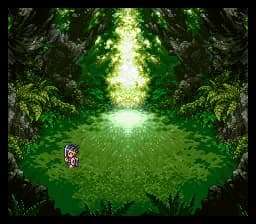 Dragon Quest III - Soshite Densetsu he...
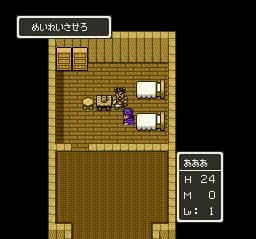 Dragon Quest V - Tenkuu no Hanayome
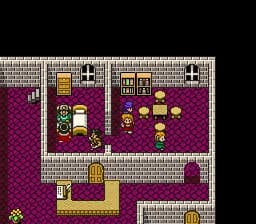 Dragon Quest V - Tenkuu no Hanayome
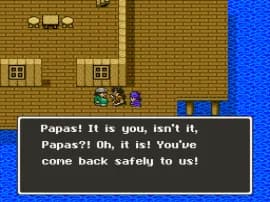 Dragon Quest V - Tenkuu no Hanayome
How to play Dragon Quest 1 online
To start playing, select "New Game" from the title screen. You begin in the throne room of Alefgard's castle. Talk to the king to receive your quest and a small amount of gold. Then head out to explore the world, fight slimes and other monsters to gain levels, and save up for better weapons and armor. The core loop is: explore, fight, level up, buy gear, push further south toward the Dragon Lord's castle.
Because this is a Japanese-only release, the menus are entirely in Japanese. The command layout is standard for early Dragon Quest: talk, status, equip, items, magic, etc. You can navigate by memorizing the order of commands. If you find the language barrier too thick, look for an English patch or a translation guide online. Save your game by entering a password shown on screen - write it down carefully, as the game does not save automatically.
CONTROLS
Controls
- Arrow Keys: D-Pad / Movement
- X: Trigger 1
- S: Trigger 2
- Enter: Start
Dragon Quest 1 FAQ
Is Dragon Quest 1 exclusive to MSX 1 or did it appear on other systems?
Dragon Quest 1 originally launched on the Famicom in 1986 and was later ported to the MSX 1, as well as other platforms like the Super Famicom (as part of a remake) and mobile phones. It is not exclusive to the MSX 1.
In what year was Dragon Quest 1 originally released?
The original Dragon Quest 1 was released in Japan on May 27, 1986, for the Famicom. The MSX 1 port followed later the same year.
Who developed Dragon Quest 1?
Dragon Quest 1 was developed by Chunsoft, a studio known for later entries in the series as well as the Mystery Dungeon games. Enix served as the publisher.












COMMENTS (0)
No comments yet. Be the first to share your thoughts.