CHOOSE A VERSION
2 versions · same consoleChoose an original release, regional version, revision, bootleg or clearly labelled ROM hack/mod, then press Play. Hacks may change the gameplay. Switching versions restarts the player.
Selected: Default · Japan · Japan
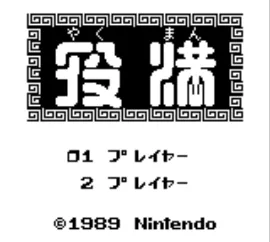
The game loads when you press Play · press “Play Now” inside the game if it asks.
Yakuman (Japan)
Yakuman
About Yakuman
- Game Boy
- Board Game
- 5· 0 votes
GAME INFO
- Platform
- Game Boy
- Genre
- Board Game
- Publisher
- Nintendo
- Developer
- Intelligent Systems
- Released
- 1989
- Players
- 1
- Region
- Japan
How to play Yakuman online
CONTROLS
Controls
- Arrow Keys — D-Pad / Movement
- X — A button (jump / confirm)
- S — B button (run / attack / cancel)
- Enter — Start / Pause
- V — Select
Yakuman FAQ
Roughly how long does it take to finish Yakuman?
The time to finish Yakuman can vary greatly depending on the player's familiarity with mahjong. A single session can last anywhere from 30 minutes to a few hours, especially if playing multiple rounds.
Is there anything iconic or memorable about Yakuman?
Yakuman is notable for being one of the few mahjong games available on the Game Boy, and it captures the essence of traditional gameplay well. Its simple graphics and engaging mechanics make it a charming title for fans of the genre.
Can players save progress in Yakuman?
There is no widely documented information about a save feature in Yakuman, as the game primarily focuses on quick rounds rather than long campaigns. Players should be prepared to play through sessions in one sitting.
You may also like
All Game Boy games











GAME INFO
- Platform
- Game Boy
- Genre
- Board Game
- Publisher
- Nintendo
- Developer
- Intelligent Systems
- Released
- 1989
- Players
- 1
- Region
- Japan
COMMENTS (0)
No comments yet. Be the first to share your thoughts.