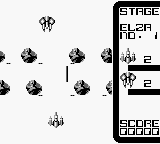
The game loads when you press Play · press “Play Now” inside the game if it asks.
Volley Fire (Japan)
Volley Fire
What is Volley Fire?
Volley Fire is a sports game developed for the Game Boy, released exclusively in Japan. It falls under the sports genre, specifically focusing on volleyball gameplay. While detailed information about the development team is not widely documented, the game captures the essence of competitive sports on a handheld console, a hallmark of the early 90s gaming era.
In Volley Fire, players engage in volleyball matches where they control characters on the court to score points against opponents. The mechanics revolve around timing and positioning, as players must volley the ball back and forth while trying to outmaneuver their rivals. The game emphasizes quick reflexes and strategic play, allowing players to experience the excitement of volleyball in a portable format.
Today, Volley Fire holds a niche appeal among retro gaming enthusiasts. While it may not have the same recognition as some of its contemporaries, it offers a unique experience for fans of sports titles on the Game Boy. Its straightforward mechanics and charming graphics provide a glimpse into the genre's development during that era, making it an interesting title for collectors or anyone looking to explore lesser-known gems from the handheld library.
GAME INFO
How to play Volley Fire online
Getting started in Volley Fire requires selecting a match type from the main menu, which is in Japanese. Once you choose your option, you'll find yourself on the volleyball court ready to compete. The core gameplay loop involves serving the ball, setting it up for spikes, and defending against your opponent's shots.
As you play, focus on timing your jumps and positioning your character effectively to control the ball. While the game may seem simple at first, mastering the mechanics will enhance your ability to strategize during matches. Remember, as a Japanese-only title, navigating through menus might be challenging, but the gameplay itself is straightforward and engaging.
CONTROLS
Controls
- Arrow Keys — D-Pad / Movement
- X — A button (jump / confirm)
- S — B button (run / attack / cancel)
- Enter — Start / Pause
- V — Select
Volley Fire FAQ
Can players save progress in Volley Fire?
There is no save feature in Volley Fire, so players will need to complete matches in one sitting.
In what year was Volley Fire originally released?
The release year for Volley Fire is not widely documented, making it difficult to provide an exact date.
Is there anything iconic or memorable about Volley Fire?
Volley Fire is recognized for its unique take on volleyball gameplay on the Game Boy, though it remains relatively obscure compared to other sports titles.












COMMENTS (0)
No comments yet. Be the first to share your thoughts.