The game loads when you press Play · press “Play Now” inside the game if it asks.
Turn and Burn (USA)
Turn and Burn
Turn and Burn: GB Action
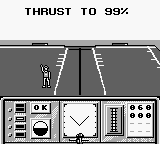
Turn and Burn (USA) is a title for the Game Boy platform that falls into the action genre. Released in the 1990s, it is part of a wave of portable games that aimed to deliver engaging gameplay experiences on the go. While the specific details about its developer and publisher are not widely documented, the game captures the essence of the era's handheld gaming landscape.
In Turn and Burn, players engage in fast-paced action, likely involving shooting mechanics and navigating various levels. The gameplay typically consists of completing objectives while avoiding obstacles and defeating enemies. The controls are designed to be straightforward, fitting the Game Boy's limited button layout, which is characteristic of many games from this platform.
This title is worth exploring for fans of retro gaming, especially those who appreciate the action genre on handheld devices. While it may not be as widely recognized as other classics, it provides a glimpse into the types of experiences players sought on the Game Boy. It stands alongside similar titles of its time, offering a nostalgic trip for enthusiasts, even if it lacks the depth of more prominent games in the action genre.
GAME INFO
How to play Turn and Burn online
Getting started in Turn and Burn involves familiarizing yourself with the controls listed above. Begin by selecting a game mode from the main menu, which may include options for starting a new game or continuing from a previous save. As you dive into the game, the core loop revolves around navigating levels, defeating enemies, and completing objectives to progress.
As you play, collect power-ups and items that may enhance your abilities or provide additional lives. Pay attention to enemy patterns and obstacles, as mastering their movements is key to advancing. While Turn and Burn may offer a straightforward action experience, honing your skills will improve your enjoyment of the game.
CONTROLS
Controls
- Arrow Keys — D-Pad / Movement
- X — A button (jump / confirm)
- S — B button (run / attack / cancel)
- Enter — Start / Pause
- V — Select
Turn and Burn FAQ
Which regions was Turn and Burn released in?
The game was released in the USA, though detailed information on other regions is not widely documented.
Can players save progress in Turn and Burn?
Information regarding save progress in the game is not widely documented, so it's unclear if there are save features.
Is Turn and Burn exclusive to Game Boy or did it appear on other systems?
Turn and Burn is primarily recognized as a Game Boy title, and there are no widely known releases on other systems.












COMMENTS (0)
No comments yet. Be the first to share your thoughts.