The game loads when you press Play · press “Play Now” inside the game if it asks.
Tsuri Sensei (Japan)
Tsuri Sensei
Tsuri Sensei - Educational Classic
- Game Boy
- Educational
- 5· 0 votes
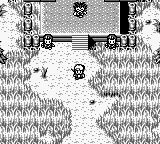
Tsuri Sensei is a unique title for the Game Boy, released exclusively in Japan. It falls into the educational genre, focusing on fishing techniques and strategies. While specific details about its development are scarce, the game reflects the educational trend of the early 90s, where titles aimed to teach players through engaging gameplay mechanics.
In Tsuri Sensei, players take on the role of a fishing instructor, guiding students through various fishing challenges. The gameplay involves selecting different fishing spots, utilizing various bait types, and timing your casts effectively to catch different fish species. The controls are intuitive, allowing players to focus on the strategy of fishing rather than complex mechanics, making it accessible for both seasoned gamers and newcomers.
This title is worth exploring for those interested in niche educational games on retro platforms. While it may not have the same recognition as other Game Boy classics, it offers a unique experience that stands apart from typical action or adventure titles of the era. Fans of simulation or strategy games may find it a refreshing change of pace, especially for a portable system that often leaned towards more action-oriented genres.
GAME INFO
- Platform
- Game Boy
- Genre
- Educational
- Players
- 1
- Region
- Japan
More Tsuri Sensei Games
Ready for another round? Explore more Tsuri Sensei games and console editions. Choose a game below to play it on its own page.

How to play Tsuri Sensei online
Getting started with Tsuri Sensei involves selecting your fishing location and understanding the environment. The game presents different areas where you can fish, each with its unique challenges and fish species. As you begin, familiarize yourself with the controls to effectively cast your line and reel in catches.
The core loop revolves around choosing bait, casting your line, and patiently waiting for bites. Pay attention to the feedback from the game, as successful catches depend on timing and strategy. Since this title is in Japanese, some menus will require navigation through trial and error, but the straightforward mechanics should allow you to pick up the basics quickly.
CONTROLS
Controls
- Arrow Keys — D-Pad / Movement
- X — A button (jump / confirm)
- S — B button (run / attack / cancel)
- Enter — Start / Pause
- V — Select
Tsuri Sensei FAQ
Who developed Tsuri Sensei?
Information regarding the developer of Tsuri Sensei is not widely documented.
Is there anything iconic or memorable about Tsuri Sensei?
Tsuri Sensei is notable for its educational focus on fishing, a unique theme not commonly explored in video games of its time.
What type of game is Tsuri Sensei?
This title is classified as an educational game, emphasizing fishing techniques and strategies through interactive gameplay.
You may also like
All Game Boy games











GAME INFO
- Platform
- Game Boy
- Genre
- Educational
- Players
- 1
- Region
- Japan
COMMENTS (0)
No comments yet. Be the first to share your thoughts.