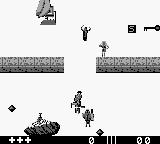
The game loads when you press Play · press “Play Now” inside the game if it asks.
Total Carnage (USA, Europe)
Total Carnage
What is Total Carnage?
- Game Boy
- Run and Gun
- 5· 0 votes
GAME INFO
- Platform
- Game Boy
- Genre
- Run and Gun
- Publisher
- THQ
- Developer
- Midway Games
- Released
- 1992
- Players
- 1
- Region
- USA, Europe
How to play Total Carnage online
CONTROLS
Controls
- Arrow Keys — D-Pad / Movement
- X — A button (jump / confirm)
- S — B button (run / attack / cancel)
- Enter — Start / Pause
- V — Select
Total Carnage FAQ
What makes Total Carnage stand out among Game Boy titles of its era?
The game is notable for its blend of humor and frantic action, which was somewhat unique for the Game Boy platform. Its arcade roots are evident in the gameplay style, appealing to fans of action-packed experiences.
What type of game is Total Carnage?
It's classified as a run and gun game, focusing on shooting and dodging enemies while moving through levels. Players can expect a mix of intense action and strategic gameplay as they navigate various challenges.
Is Total Carnage exclusive to Game Boy or did it appear on other systems?
Total Carnage originally appeared in arcades before being adapted for the Game Boy. It has also been released on other platforms like the Super Nintendo and Sega Genesis, but the Game Boy version is specifically tailored for portable play.
You may also like
All Game Boy games











GAME INFO
- Platform
- Game Boy
- Genre
- Run and Gun
- Publisher
- THQ
- Developer
- Midway Games
- Released
- 1992
- Players
- 1
- Region
- USA, Europe
COMMENTS (0)
No comments yet. Be the first to share your thoughts.