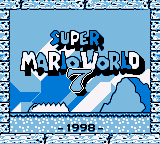
The game loads when you press Play · press “Play Now” inside the game if it asks.
Super Mario World 7 (Unlicensed)
Super Mario World 7
About Super Mario World 7
- Game Boy
- Platformer
- Unlicensed
- 5· 0 votes
Super Mario World 7 (Unlicensed) is a fan-made hack of the classic Super Mario series designed for the Game Boy. This unlicensed title emerged during a time when many independent developers were creating their own versions of popular games. While the exact creator remains unclear, its status as an unlicensed game places it in a unique niche within the retro gaming community.
In this game, players navigate through various platforming levels, encountering familiar gameplay mechanics from the original Super Mario titles. You’ll jump on enemies, collect power-ups, and navigate challenging obstacles as you progress through the stages. The levels are designed to evoke nostalgia, featuring classic power-ups and environments reminiscent of earlier Mario games, but with their own twist that may differ from the traditional experience.
Although Super Mario World 7 is not an official release, it offers a glimpse into the creativity of the retro gaming community. It serves as a testament to how beloved franchises can inspire fans to create their own interpretations. While it may not have the polish of official titles, it can be a fun experience for those interested in exploring lesser-known entries and hacks in the Mario universe.
GAME INFO
- Platform
- Game Boy
- Genre
- Platformer
- Based on
- Super Mario World
How to play Super Mario World 7 online
Getting started in Super Mario World 7 involves familiarizing yourself with the controls and the platforming mechanics. As you begin, you will find yourself in a vibrant world filled with obstacles and enemies. Move Mario using the D-Pad, jump and confirm selections with the A button, and utilize the B button for running or attacking.
The core gameplay loop revolves around navigating through levels, defeating enemies, and collecting power-ups. Each level presents unique challenges that require quick reflexes and strategic thinking. Be sure to explore each area thoroughly to find hidden items and secrets that enhance your gameplay experience.
CONTROLS
Controls
- Arrow Keys — D-Pad / Movement
- X — A button (jump / confirm)
- S — B button (run / attack / cancel)
- Enter — Start / Pause
- V — Select
Super Mario World 7 FAQ
Is there anything iconic or memorable about Super Mario World 7?
While not officially recognized, this unlicensed game is notable for its creative level designs and homage to the Super Mario franchise, appealing to fans of the series looking for something new.
Is Super Mario World 7 exclusive to Game Boy or did it appear on other systems?
This game is primarily known as a Game Boy title and has not been documented as appearing on other systems, maintaining its status within the handheld gaming realm.
What makes Super Mario World 7 stand out among Game Boy titles of its era?
It stands out due to its status as an unlicensed fan hack, showcasing how independent developers pushed the boundaries of established franchises, providing a unique take on beloved gameplay mechanics.
You may also like
All Game Boy games











GAME INFO
- Platform
- Game Boy
- Genre
- Platformer
- Based on
- Super Mario World
COMMENTS (0)
No comments yet. Be the first to share your thoughts.