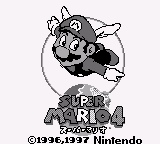
The game loads when you press Play · press “Play Now” inside the game if it asks.
Super Mario Land 4
Super Mario Land 4
Getting to Know Super Mario Land 4
- Game Boy
- Platformer
- Fan Game
- 5· 0 votes
Unofficial fan game. The notes below come from community sources and have not been verified against the patch itself, so levels, mechanics and features may differ from what is described.
Super Mario Land 4 is a fan game for the Game Boy, inspired by the classic Mario franchise. Released in an unofficial capacity, it draws from the established platforming genre that Nintendo popularized in the late 1980s and early 1990s. While the original titles were developed by Nintendo, this iteration showcases the creativity of the fan community that continues to celebrate Mario's legacy.
In this game, players navigate through various levels filled with obstacles, enemies, and power-ups, similar to other Mario games. The objective is to reach the end of each stage while collecting coins and defeating foes along the way. The gameplay mechanics may include jumping, running, and utilizing power-ups, which are hallmarks of the platforming genre, allowing for engaging and dynamic gameplay.
Despite being a fan-made project, Super Mario Land 4 offers a nostalgic experience reminiscent of classic Mario games. It serves as a testament to the enduring popularity of platformers and the creativity of fans who wish to contribute to the Mario universe. While it may not have the polish of an official release, it provides a unique opportunity for players to explore new levels and challenges in a beloved setting.
GAME INFO
- Platform
- Game Boy
- Genre
- Platformer
- Players
- 1
More Super Mario Land Games
Ready for another round? Explore more Super Mario Land games and console editions. Choose a game below to play it on its own page.
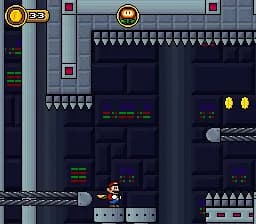
How to play Super Mario Land 4 online
Getting started with Super Mario Land 4 involves navigating through its levels using the controls outlined above. Players typically begin by selecting a stage and then controlling Mario to jump over obstacles and defeat enemies. Collecting power-ups and coins will enhance your abilities and score, which is a core aspect of the gameplay loop.
As you progress, familiarize yourself with the level layouts and enemy patterns. Timing your jumps and attacks is crucial for overcoming challenges. While the game may have a familiar structure, the unique designs and fan interpretations provide a fresh take on the classic formula, making it enjoyable for both newcomers and seasoned players.
CONTROLS
Controls
- Arrow Keys — D-Pad / Movement
- X — A button (jump / confirm)
- S — B button (run / attack / cancel)
- Enter — Start / Pause
- V — Select
Super Mario Land 4 FAQ
Which regions was Super Mario Land 4 released in?
The game is a fan-made project and does not have an official release in any region.
Is Super Mario Land 4 exclusive to Game Boy or did it appear on other systems?
This title is specifically designed for the Game Boy platform and has not been ported to other systems.
Does Super Mario Land 4 have a multiplayer or co-op mode?
The game is primarily a single-player experience, focusing on the solo adventure of navigating through levels.
You may also like
All Game Boy games











GAME INFO
- Platform
- Game Boy
- Genre
- Platformer
- Players
- 1
COMMENTS (0)
No comments yet. Be the first to share your thoughts.