CHOOSE A VERSION
3 versions · same consoleChoose an original release, regional version, revision, bootleg or clearly labelled ROM hack/mod, then press Play. Hacks may change the gameplay. Switching versions restarts the player.
Selected: Default · USA · USA
The game loads when you press Play · press “Play Now” inside the game if it asks.
Spot (USA)
Spot
Spot Overview
- Game Boy
- Platformer
- 5· 0 votes
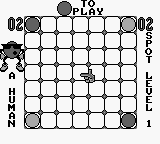
Spot (USA) is a platform game that was released for the Game Boy. Developed by a team known for creating engaging titles, this game became part of the library in the early 90s. It captures the essence of the platform genre, which was popular during that era, and showcases the capabilities of the Game Boy as a handheld device.
In Spot, players take on the role of Spot, the iconic character from the 7-Up beverage brand. The game consists of navigating through various levels filled with obstacles and enemies while collecting items. Gameplay mechanics include jumping, running, and utilizing power-ups to overcome challenges. Each level is designed to test your reflexes and timing, making it a fun experience for players who enjoy platformers.
Although Spot may not be as well-known as other titles from its time, it offers a nostalgic look back at a unique branding crossover in gaming. Fans of classic platformers will appreciate its straightforward gameplay and charming graphics. It serves as a reminder of the creative ways brands engaged with the gaming community in the early 90s, making it worth a try for those interested in retro games or the cultural history behind gaming.
GAME INFO
- Platform
- Game Boy
- Genre
- Platformer
- Publisher
- Virgin Interactive
- Developer
- Visual Concepts
- Released
- 1990
- Players
- 1
- Region
- USA
How to play Spot online
Getting started with Spot involves selecting your game mode from the main menu, which is straightforward and user-friendly. As you enter a level, you'll control Spot using the D-Pad to move and jump, collecting items while avoiding hazards. The core gameplay loop revolves around navigating each level, defeating enemies, and gathering items to progress further.
As you play, keep an eye out for power-ups that can enhance your abilities or provide extra points. Timing your jumps and attacks is crucial, especially when facing tougher enemies or tricky platforming sections. Familiarizing yourself with the level layouts will greatly help in mastering the game and achieving high scores.
CONTROLS
Controls
- Arrow Keys — D-Pad / Movement
- X — A button (jump / confirm)
- S — B button (run / attack / cancel)
- Enter — Start / Pause
- V — Select
Spot FAQ
Who developed Spot?
The development team for Spot is not widely documented, but it is known to be linked to the branding of the 7-Up beverage.
In what year was Spot originally released?
The exact year of release for Spot is not widely documented, but it became available for the Game Boy in the early 1990s.
Is Spot exclusive to Game Boy or did it appear on other systems?
Spot was primarily released for the Game Boy, and there is no widely documented evidence of its presence on other systems.
You may also like
All Game Boy games











GAME INFO
- Platform
- Game Boy
- Genre
- Platformer
- Publisher
- Virgin Interactive
- Developer
- Visual Concepts
- Released
- 1990
- Players
- 1
- Region
- USA
COMMENTS (0)
No comments yet. Be the first to share your thoughts.