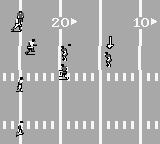
The game loads when you press Play · press “Play Now” inside the game if it asks.
Sports Illustrated - Football & Baseball (USA)
Sports Illustrated - Football & Baseball
Getting to Know Sports Illustrated - Football & Baseball
GAME INFO
How to play Sports Illustrated - Football & Baseball online
To get started with Sports Illustrated - Football & Baseball, power on your Game Boy and select the game from your library. You’ll typically begin by choosing which sport you want to play, either football or baseball. Once you make your selection, you can pick your teams and get right into the action.
The core gameplay loop involves playing through matches, where you will control your players and try to score points. Pay attention to the controls as you maneuver your team, making plays and executing strategies. The game is designed to be accessible, so even if you're new to sports games, you'll find it easy to pick up and play.
CONTROLS
Controls
- Arrow Keys — D-Pad / Movement
- X — A button (jump / confirm)
- S — B button (run / attack / cancel)
- Enter — Start / Pause
- V — Select
Sports Illustrated - Football & Baseball FAQ
Who developed Sports Illustrated - Football & Baseball?
The specific developer for Sports Illustrated - Football & Baseball is not widely documented.
Roughly how long does it take to finish Sports Illustrated - Football & Baseball?
The time it takes to finish the game can vary greatly depending on the player's skill level and how many matches they choose to play. Generally, it can be completed in a few hours if focusing on the gameplay.
Which regions was Sports Illustrated - Football & Baseball released in?
This game was released in the USA region.












COMMENTS (0)
No comments yet. Be the first to share your thoughts.