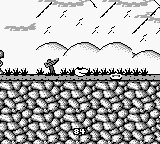
The game loads when you press Play · press “Play Now” inside the game if it asks.
Sneaky Snakes (USA, Europe)
Sneaky Snakes
Sneaky Snakes Overview
Sneaky Snakes is a quirky puzzle game released for the Game Boy, primarily in the USA and Europe. Developed by Taito, it showcases the classic puzzle genre that was popular during the late 80s and early 90s. The game features simple yet engaging gameplay that utilizes the unique mechanics of the Game Boy platform, making it an interesting title for fans of retro gaming.
In Sneaky Snakes, players control a snake that must navigate through various mazes while avoiding obstacles and enemies. The goal is to collect items and reach the exit while managing the snake's length and movement. As the levels progress, the puzzles become increasingly challenging, requiring strategic thinking and careful planning to complete each stage successfully.
What makes Sneaky Snakes worth trying today is its nostalgic charm and straightforward gameplay. While it may not have the depth of some contemporary puzzle games, it offers a delightful experience for those looking to enjoy a slice of gaming history. It serves as a reminder of the simplicity found in early handheld gaming, and fans of the genre may appreciate the challenge it presents, even if it remains a niche title in the broader gaming landscape.
GAME INFO
How to play Sneaky Snakes online
Getting started in Sneaky Snakes involves selecting a new game from the main menu. Once in the game, you'll find yourself navigating a maze filled with enemies and obstacles. The core loop involves collecting items while avoiding hazards, which can become increasingly complex as you progress through the levels.
New players should focus on mastering the controls and understanding how to maneuver the snake effectively. Pay attention to the layout of each maze and plan your moves carefully to avoid getting trapped or losing valuable items. The more you play, the better you'll become at anticipating enemy movements and solving puzzles efficiently.
CONTROLS
Controls
- Arrow Keys — D-Pad / Movement
- X — A button (jump / confirm)
- S — B button (run / attack / cancel)
- Enter — Start / Pause
- V — Select
Sneaky Snakes FAQ
Is there anything iconic or memorable about Sneaky Snakes?
The game is known for its charming graphics and straightforward gameplay, making it a memorable title for fans of retro puzzle games. Its unique concept of controlling a snake in a maze adds a layer of strategy that players enjoy.
Is Sneaky Snakes an official release, a fan hack, a prototype, or another kind of build?
Sneaky Snakes is an official release for the Game Boy, developed and published by Taito. It was released in the USA and Europe, adding to the library of unique puzzle games available on the platform.
Who developed Sneaky Snakes?
The game was developed by Taito, a well-known company in the video game industry recognized for many classic titles during the arcade and home console eras.












COMMENTS (0)
No comments yet. Be the first to share your thoughts.