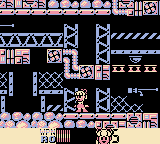
The game loads when you press Play · press “Play Now” inside the game if it asks.
Roll-chan World 5
Roll-chan World 5
What is Roll-chan World 5?
- Game Boy
- Platformer
- Fan Game
- 5· 0 votes
Unofficial fan game. The notes below come from community sources and have not been verified against the patch itself, so levels, mechanics and features may differ from what is described.
GAME INFO
- Platform
- Game Boy
- Genre
- Platformer
- Players
- 1
How to play Roll-chan World 5 online
Getting started with Roll-chan World 5 involves familiarizing yourself with the controls since the game is in Japanese. Once you launch the game, you will typically start at the main menu, where you can select your game mode. The initial levels are designed to ease you into the mechanics, so take your time learning how to navigate and attack.
The core gameplay loop includes running, jumping between platforms, and defeating enemies to progress through levels. Collecting items and power-ups can enhance your abilities, so keep an eye out for these as you play. It's essential to understand the level layout and enemy patterns to successfully navigate through the game's challenges.
CONTROLS
Controls
- Arrow Keys — D-Pad / Movement
- X — A button (jump / confirm)
- S — B button (run / attack / cancel)
- Enter — Start / Pause
- V — Select
Roll-chan World 5 FAQ
Is Roll-chan World 5 exclusive to Game Boy or did it appear on other systems?
The game appears to be exclusive to the Game Boy platform, with no known releases on other systems.
Does Roll-chan World 5 have a multiplayer or co-op mode?
There is no multiplayer or co-op mode in Roll-chan World 5; it is designed for single-player gameplay only.
Roughly how long does it take to finish Roll-chan World 5?
Completion time can vary, but players typically spend a few hours finishing the game, depending on their skill level and familiarity with platformers.
You may also like
All Game Boy games











GAME INFO
- Platform
- Game Boy
- Genre
- Platformer
- Players
- 1
COMMENTS (0)
No comments yet. Be the first to share your thoughts.