The game loads when you press Play · press “Play Now” inside the game if it asks.
Roll-chan World 4
Roll-chan World 4
About Roll-chan World 4
- Game Boy
- Platformer
- Homebrew
- 5· 0 votes
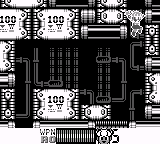
Roll-chan World 4 is a fan-made platformer for the Game Boy, which builds upon the classic genre conventions established in earlier titles. This game is part of a series that showcases a blend of retro graphics and engaging level design. While specific details about its development are scarce, it reflects the creative spirit of the homebrew community that flourished during the Game Boy era.
In Roll-chan World 4, players navigate through various levels filled with obstacles, enemies, and power-ups. The gameplay is centered around jumping and running, typical of platformers from this time. Players must overcome challenges by timing their jumps and utilizing power-ups effectively to progress through the game’s stages, which often feature unique themes and designs.
Although it may not have the recognition of mainstream titles, Roll-chan World 4 is worth exploring for fans of retro gaming. Its nostalgic graphics and gameplay mechanics resonate with those who appreciate the charm of homebrew titles. The game captures the essence of platforming classics, making it a fun experience for both new players and veterans seeking a taste of lesser-known gems from the Game Boy library.
GAME INFO
- Platform
- Game Boy
- Genre
- Platformer
- Players
- 1
How to play Roll-chan World 4 online
Getting started in Roll-chan World 4 involves selecting your game mode from the main menu, which is presented in Japanese. Once you dive into the game, you will find yourself in a vibrant world where your primary tasks involve jumping and avoiding hazards. Familiarize yourself with the controls early on to make your gameplay smoother.
As you progress through the levels, focus on collecting power-ups that enhance your abilities. These can significantly aid in overcoming obstacles and defeating enemies. Keep an eye out for hidden areas that might contain additional rewards. With practice, you'll develop a rhythm that will help you navigate through the increasingly complex stages.
CONTROLS
Controls
- Arrow Keys — D-Pad / Movement
- X — A button (jump / confirm)
- S — B button (run / attack / cancel)
- Enter — Start / Pause
- V — Select
Roll-chan World 4 FAQ
Is Roll-chan World 4 considered easy to pick up or challenging?
The game is generally seen as accessible for newcomers to platformers, but can become challenging as the levels progress. Players may find themselves needing to master timing and precision to advance effectively.
Is Roll-chan World 4 an official release, a fan hack, a prototype, or another kind of build?
This title is classified as a fan-made game, specifically a homebrew platformer. It does not have an official commercial release and is part of the vibrant community creating new content for classic platforms.
Who developed Roll-chan World 4?
The specific developer of Roll-chan World 4 is not widely documented, as it is a fan creation. Homebrew games often have varying levels of attribution, making it difficult to pinpoint a single author.
You may also like
All Game Boy games











GAME INFO
- Platform
- Game Boy
- Genre
- Platformer
- Players
- 1
COMMENTS (0)
No comments yet. Be the first to share your thoughts.