CHOOSE A VERSION
2 versions · same consoleChoose an original release, regional version, revision, bootleg or clearly labelled ROM hack/mod, then press Play. Hacks may change the gameplay. Switching versions restarts the player.
Selected: Default · USA
The game loads when you press Play · press “Play Now” inside the game if it asks.
Q Billion (USA)
Q Billion
Q Billion - Puzzle Classic
Q Billion (USA) is a puzzle game released for the Game Boy platform. While specific details about the developer and publisher are not widely documented, the game is known for its unique approach to the puzzle genre during the era of the Game Boy. As a title that may be less familiar to mainstream audiences, it serves as an interesting piece of the handheld gaming library from the early 90s.
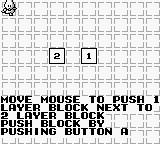
In Q Billion, players engage with a series of puzzles that challenge their spatial reasoning and problem-solving skills. The game involves manipulating blocks and navigating through levels to achieve specific objectives, which is a common mechanic in puzzle games of this time. The mechanics encourage strategic thinking, often requiring players to plan several moves ahead to successfully clear levels and progress through the game.
Today, Q Billion is worth trying for those who appreciate retro puzzle games and the Game Boy's library. Although it may not reach the heights of more popular titles, it offers a nostalgic experience for fans of the genre. The simplicity of its gameplay and its unique challenges make it a nice addition to any retro gaming collection, especially for players who enjoy exploring lesser-known titles from the Game Boy era.
GAME INFO
How to play Q Billion online
Getting started with Q Billion involves selecting a puzzle level from the main menu. Once you enter a level, your goal is to manipulate blocks in order to solve the puzzle presented. Pay attention to the layout of the blocks and plan your moves carefully to clear each stage.
As you progress, the puzzles will increase in complexity. It's important to think ahead and consider how each move affects the overall state of the puzzle. Learning how to combine moves efficiently is key to mastering the game. While the mechanics are straightforward, the challenge lies in the strategic execution required to complete each level successfully.
CONTROLS
Controls
- Arrow Keys — D-Pad / Movement
- X — A button (jump / confirm)
- S — B button (run / attack / cancel)
- Enter — Start / Pause
- V — Select
Q Billion FAQ
Is Q Billion exclusive to Game Boy or did it appear on other systems?
Information about other system releases for Q Billion is not widely documented, suggesting it may be exclusive to the Game Boy platform.
Is Q Billion an official release, a fan hack, a prototype, or another kind of build?
Q Billion is considered an official release for the Game Boy, although specific details about its development are not widely documented.
Does Q Billion have a multiplayer or co-op mode?
The game does not include a multiplayer or co-op mode, focusing instead on single-player puzzle gameplay.












COMMENTS (0)
No comments yet. Be the first to share your thoughts.