The game loads when you press Play · press “Play Now” inside the game if it asks.
Pri Pri - Primitive Princess! (Japan)
Pri Pri - Primitive Princess!
Pri Pri - Primitive Princess! - Platformer Classic
- Game Boy
- Platformer
- 5· 0 votes
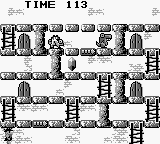
Pri Pri - Primitive Princess! is a platformer developed for the Game Boy, released exclusively in Japan. This title blends classic platforming elements with a quirky aesthetic, typical of the late 80s and early 90s gaming era. The game showcases the unique charm of the Game Boy library, where developers experimented with engaging gameplay mechanics despite hardware limitations.
In Pri Pri, players control a character navigating through various levels filled with obstacles and enemies. The gameplay revolves around jumping, running, and attacking, which are standard mechanics for platformers of this time. Players must master timing and precision to progress through the levels while collecting items and avoiding hazards, a common loop found in many games from this genre.
What makes Pri Pri worth trying today is its nostalgic value and the opportunity to experience a lesser-known title in the vast Game Boy catalog. While it may not have the same recognition as other platformers of its era, it offers a glimpse into the creativity of Japanese game design. Fans of retro games might appreciate its simplicity and charm, making it a fun diversion for collectors and enthusiasts alike.
GAME INFO
- Platform
- Game Boy
- Genre
- Platformer
- Players
- 1
- Region
- Japan
How to play Pri Pri - Primitive Princess! online
Getting started in Pri Pri involves selecting your game mode and diving into the first level. You'll navigate through the stages, avoiding enemies and collecting power-ups along the way. The menus are in Japanese, so familiarity with basic Japanese characters or using a translation tool can be helpful for navigating options.
As you progress, focus on mastering the jump and attack mechanics. Timing is crucial, especially when encountering enemies or jumping over obstacles. Collecting items can enhance your abilities, so keep an eye out for those. With practice, you'll find the rhythm of the game, making it easier to tackle the challenges ahead.
CONTROLS
Controls
- Arrow Keys — D-Pad / Movement
- X — A button (jump / confirm)
- S — B button (run / attack / cancel)
- Enter — Start / Pause
- V — Select
Pri Pri - Primitive Princess! FAQ
Is Pri Pri - Primitive Princess! considered easy to pick up or challenging?
The game is generally considered easy to pick up, especially for players familiar with platformers. However, as you progress, the challenges can become more demanding, requiring good timing and reflexes.
Is Pri Pri - Primitive Princess! exclusive to Game Boy or did it appear on other systems?
This title was released exclusively for the Game Boy and did not appear on other systems. Its unique gameplay and style are tailored specifically for the handheld experience.
Who developed Pri Pri - Primitive Princess!?
The developer information is not widely documented, so specifics about the team behind Pri Pri remain unclear. It is recognized as a unique title within the Game Boy library.
You may also like
All Game Boy games











GAME INFO
- Platform
- Game Boy
- Genre
- Platformer
- Players
- 1
- Region
- Japan
COMMENTS (0)
No comments yet. Be the first to share your thoughts.