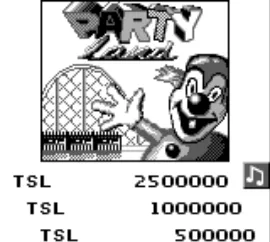
The game loads when you press Play · press “Play Now” inside the game if it asks.
Pinball Deluxe (Europe)
Pinball Deluxe
Inside Pinball Deluxe
GAME INFO
How to play Pinball Deluxe online
CONTROLS
Controls
- Arrow Keys — D-Pad / Movement
- X — A button (jump / confirm)
- S — B button (run / attack / cancel)
- Enter — Start / Pause
- V — Select
Pinball Deluxe FAQ
Can players save progress in Pinball Deluxe?
There is no widely documented feature for saving progress in Pinball Deluxe. Players typically play through a single session without the ability to save their scores or game state.
Is Pinball Deluxe considered easy to pick up or challenging?
The game is generally easy to pick up, making it accessible for players of all skill levels. However, mastering the mechanics and achieving high scores can provide a challenging experience, especially for those looking to improve their skills.
What makes Pinball Deluxe stand out among Game Boy titles of its era?
Pinball Deluxe offers a straightforward and enjoyable pinball experience that captures the essence of arcade pinball on a handheld platform. It stands out for its simplicity and nostalgic appeal, especially for fans of the genre.












COMMENTS (0)
No comments yet. Be the first to share your thoughts.